// Copyright 2013 The Flutter Authors. All rights reserved.
// Use of this source code is governed by a BSD-style license that can be
// found in the LICENSE file.
part of dart.ui;
// Some methods in this file assert that their arguments are not null. These
// asserts are just to improve the error messages; they should only cover
// arguments that are either dereferenced _in Dart_, before being passed to the
// engine, or that the engine explicitly null-checks itself (after attempting to
// convert the argument to a native type). It should not be possible for a null
// or invalid value to be used by the engine even in release mode, since that
// would cause a crash. It is, however, acceptable for error messages to be much
// less useful or correct in release mode than in debug mode.
//
// Painting APIs will also warn about arguments representing NaN coordinates,
// which can not be rendered by Skia.
// Update this list when changing the list of supported codecs.
/// {@template flutter.dart:ui.imageFormats}
/// JPEG, PNG, GIF, Animated GIF, WebP, Animated WebP, BMP, and WBMP
/// {@endtemplate}
bool _rectIsValid(Rect rect) {
assert(rect != null, 'Rect argument was null.');
assert(!rect.hasNaN, 'Rect argument contained a NaN value.');
return true;
}
bool _rrectIsValid(RRect rrect) {
assert(rrect != null, 'RRect argument was null.');
assert(!rrect.hasNaN, 'RRect argument contained a NaN value.');
return true;
}
bool _offsetIsValid(Offset offset) {
assert(offset != null, 'Offset argument was null.');
assert(!offset.dx.isNaN && !offset.dy.isNaN, 'Offset argument contained a NaN value.');
return true;
}
bool _matrix4IsValid(Float64List matrix4) {
assert(matrix4 != null, 'Matrix4 argument was null.');
assert(matrix4.length == 16, 'Matrix4 must have 16 entries.');
assert(matrix4.every((double value) => value.isFinite), 'Matrix4 entries must be finite.');
return true;
}
bool _radiusIsValid(Radius radius) {
assert(radius != null, 'Radius argument was null.');
assert(!radius.x.isNaN && !radius.y.isNaN, 'Radius argument contained a NaN value.');
return true;
}
Color _scaleAlpha(Color a, double factor) {
return a.withAlpha((a.alpha * factor).round().clamp(0, 255));
}
/// An immutable 32 bit color value in ARGB format.
///
/// Consider the light teal of the Flutter logo. It is fully opaque, with a red
/// channel value of 0x42 (66), a green channel value of 0xA5 (165), and a blue
/// channel value of 0xF5 (245). In the common "hash syntax" for color values,
/// it would be described as `#42A5F5`.
///
/// Here are some ways it could be constructed:
///
/// ```dart
/// Color c = const Color(0xFF42A5F5);
/// Color c = const Color.fromARGB(0xFF, 0x42, 0xA5, 0xF5);
/// Color c = const Color.fromARGB(255, 66, 165, 245);
/// Color c = const Color.fromRGBO(66, 165, 245, 1.0);
/// ```
///
/// If you are having a problem with `Color` wherein it seems your color is just
/// not painting, check to make sure you are specifying the full 8 hexadecimal
/// digits. If you only specify six, then the leading two digits are assumed to
/// be zero, which means fully-transparent:
///
/// ```dart
/// Color c1 = const Color(0xFFFFFF); // fully transparent white (invisible)
/// Color c2 = const Color(0xFFFFFFFF); // fully opaque white (visible)
/// ```
///
/// See also:
///
/// * [Colors](https://docs.flutter.io/flutter/material/Colors-class.html), which
/// defines the colors found in the Material Design specification.
class Color {
/// Construct a color from the lower 32 bits of an [int].
///
/// The bits are interpreted as follows:
///
/// * Bits 24-31 are the alpha value.
/// * Bits 16-23 are the red value.
/// * Bits 8-15 are the green value.
/// * Bits 0-7 are the blue value.
///
/// In other words, if AA is the alpha value in hex, RR the red value in hex,
/// GG the green value in hex, and BB the blue value in hex, a color can be
/// expressed as `const Color(0xAARRGGBB)`.
///
/// For example, to get a fully opaque orange, you would use `const
/// Color(0xFFFF9000)` (`FF` for the alpha, `FF` for the red, `90` for the
/// green, and `00` for the blue).
@pragma('vm:entry-point')
const Color(int value) : value = value & 0xFFFFFFFF;
/// Construct a color from the lower 8 bits of four integers.
///
/// * `a` is the alpha value, with 0 being transparent and 255 being fully
/// opaque.
/// * `r` is [red], from 0 to 255.
/// * `g` is [green], from 0 to 255.
/// * `b` is [blue], from 0 to 255.
///
/// Out of range values are brought into range using modulo 255.
///
/// See also [fromRGBO], which takes the alpha value as a floating point
/// value.
const Color.fromARGB(int a, int r, int g, int b) :
value = (((a & 0xff) << 24) |
((r & 0xff) << 16) |
((g & 0xff) << 8) |
((b & 0xff) << 0)) & 0xFFFFFFFF;
/// Create a color from red, green, blue, and opacity, similar to `rgba()` in CSS.
///
/// * `r` is [red], from 0 to 255.
/// * `g` is [green], from 0 to 255.
/// * `b` is [blue], from 0 to 255.
/// * `opacity` is alpha channel of this color as a double, with 0.0 being
/// transparent and 1.0 being fully opaque.
///
/// Out of range values are brought into range using modulo 255.
///
/// See also [fromARGB], which takes the opacity as an integer value.
const Color.fromRGBO(int r, int g, int b, double opacity) :
value = ((((opacity * 0xff ~/ 1) & 0xff) << 24) |
((r & 0xff) << 16) |
((g & 0xff) << 8) |
((b & 0xff) << 0)) & 0xFFFFFFFF;
/// A 32 bit value representing this color.
///
/// The bits are assigned as follows:
///
/// * Bits 24-31 are the alpha value.
/// * Bits 16-23 are the red value.
/// * Bits 8-15 are the green value.
/// * Bits 0-7 are the blue value.
final int value;
/// The alpha channel of this color in an 8 bit value.
///
/// A value of 0 means this color is fully transparent. A value of 255 means
/// this color is fully opaque.
int get alpha => (0xff000000 & value) >> 24;
/// The alpha channel of this color as a double.
///
/// A value of 0.0 means this color is fully transparent. A value of 1.0 means
/// this color is fully opaque.
double get opacity => alpha / 0xFF;
/// The red channel of this color in an 8 bit value.
int get red => (0x00ff0000 & value) >> 16;
/// The green channel of this color in an 8 bit value.
int get green => (0x0000ff00 & value) >> 8;
/// The blue channel of this color in an 8 bit value.
int get blue => (0x000000ff & value) >> 0;
/// Returns a new color that matches this color with the alpha channel
/// replaced with `a` (which ranges from 0 to 255).
///
/// Out of range values will have unexpected effects.
Color withAlpha(int a) {
return Color.fromARGB(a, red, green, blue);
}
/// Returns a new color that matches this color with the alpha channel
/// replaced with the given `opacity` (which ranges from 0.0 to 1.0).
///
/// Out of range values will have unexpected effects.
Color withOpacity(double opacity) {
assert(opacity >= 0.0 && opacity <= 1.0);
return withAlpha((255.0 * opacity).round());
}
/// Returns a new color that matches this color with the red channel replaced
/// with `r` (which ranges from 0 to 255).
///
/// Out of range values will have unexpected effects.
Color withRed(int r) {
return Color.fromARGB(alpha, r, green, blue);
}
/// Returns a new color that matches this color with the green channel
/// replaced with `g` (which ranges from 0 to 255).
///
/// Out of range values will have unexpected effects.
Color withGreen(int g) {
return Color.fromARGB(alpha, red, g, blue);
}
/// Returns a new color that matches this color with the blue channel replaced
/// with `b` (which ranges from 0 to 255).
///
/// Out of range values will have unexpected effects.
Color withBlue(int b) {
return Color.fromARGB(alpha, red, green, b);
}
// See <https://www.w3.org/TR/WCAG20/#relativeluminancedef>
static double _linearizeColorComponent(double component) {
if (component <= 0.03928)
return component / 12.92;
return math.pow((component + 0.055) / 1.055, 2.4);
}
/// Returns a brightness value between 0 for darkest and 1 for lightest.
///
/// Represents the relative luminance of the color. This value is computationally
/// expensive to calculate.
///
/// See <https://en.wikipedia.org/wiki/Relative_luminance>.
double computeLuminance() {
// See <https://www.w3.org/TR/WCAG20/#relativeluminancedef>
final double R = _linearizeColorComponent(red / 0xFF);
final double G = _linearizeColorComponent(green / 0xFF);
final double B = _linearizeColorComponent(blue / 0xFF);
return 0.2126 * R + 0.7152 * G + 0.0722 * B;
}
/// Linearly interpolate between two colors.
///
/// This is intended to be fast but as a result may be ugly. Consider
/// [HSVColor] or writing custom logic for interpolating colors.
///
/// If either color is null, this function linearly interpolates from a
/// transparent instance of the other color. This is usually preferable to
/// interpolating from [material.Colors.transparent] (`const
/// Color(0x00000000)`), which is specifically transparent _black_.
///
/// The `t` argument represents position on the timeline, with 0.0 meaning
/// that the interpolation has not started, returning `a` (or something
/// equivalent to `a`), 1.0 meaning that the interpolation has finished,
/// returning `b` (or something equivalent to `b`), and values in between
/// meaning that the interpolation is at the relevant point on the timeline
/// between `a` and `b`. The interpolation can be extrapolated beyond 0.0 and
/// 1.0, so negative values and values greater than 1.0 are valid (and can
/// easily be generated by curves such as [Curves.elasticInOut]). Each channel
/// will be clamped to the range 0 to 255.
///
/// Values for `t` are usually obtained from an [Animation<double>], such as
/// an [AnimationController].
static Color lerp(Color a, Color b, double t) {
assert(t != null);
if (a == null && b == null)
return null;
if (a == null)
return _scaleAlpha(b, t);
if (b == null)
return _scaleAlpha(a, 1.0 - t);
return Color.fromARGB(
lerpDouble(a.alpha, b.alpha, t).toInt().clamp(0, 255),
lerpDouble(a.red, b.red, t).toInt().clamp(0, 255),
lerpDouble(a.green, b.green, t).toInt().clamp(0, 255),
lerpDouble(a.blue, b.blue, t).toInt().clamp(0, 255),
);
}
/// Combine the foreground color as a transparent color over top
/// of a background color, and return the resulting combined color.
///
/// This uses standard alpha blending ("SRC over DST") rules to produce a
/// blended color from two colors. This can be used as a performance
/// enhancement when trying to avoid needless alpha blending compositing
/// operations for two things that are solid colors with the same shape, but
/// overlay each other: instead, just paint one with the combined color.
static Color alphaBlend(Color foreground, Color background) {
final int alpha = foreground.alpha;
if (alpha == 0x00) { // Foreground completely transparent.
return background;
}
final int invAlpha = 0xff - alpha;
int backAlpha = background.alpha;
if (backAlpha == 0xff) { // Opaque background case
return Color.fromARGB(
0xff,
(alpha * foreground.red + invAlpha * background.red) ~/ 0xff,
(alpha * foreground.green + invAlpha * background.green) ~/ 0xff,
(alpha * foreground.blue + invAlpha * background.blue) ~/ 0xff,
);
} else { // General case
backAlpha = (backAlpha * invAlpha) ~/ 0xff;
final int outAlpha = alpha + backAlpha;
assert(outAlpha != 0x00);
return Color.fromARGB(
outAlpha,
(foreground.red * alpha + background.red * backAlpha) ~/ outAlpha,
(foreground.green * alpha + background.green * backAlpha) ~/ outAlpha,
(foreground.blue * alpha + background.blue * backAlpha) ~/ outAlpha,
);
}
}
@override
bool operator ==(dynamic other) {
if (identical(this, other))
return true;
if (other.runtimeType != runtimeType)
return false;
final Color typedOther = other;
return value == typedOther.value;
}
@override
int get hashCode => value.hashCode;
@override
String toString() => 'Color(0x${value.toRadixString(16).padLeft(8, '0')})';
}
/// Algorithms to use when painting on the canvas.
///
/// When drawing a shape or image onto a canvas, different algorithms can be
/// used to blend the pixels. The different values of [BlendMode] specify
/// different such algorithms.
///
/// Each algorithm has two inputs, the _source_, which is the image being drawn,
/// and the _destination_, which is the image into which the source image is
/// being composited. The destination is often thought of as the _background_.
/// The source and destination both have four color channels, the red, green,
/// blue, and alpha channels. These are typically represented as numbers in the
/// range 0.0 to 1.0. The output of the algorithm also has these same four
/// channels, with values computed from the source and destination.
///
/// The documentation of each value below describes how the algorithm works. In
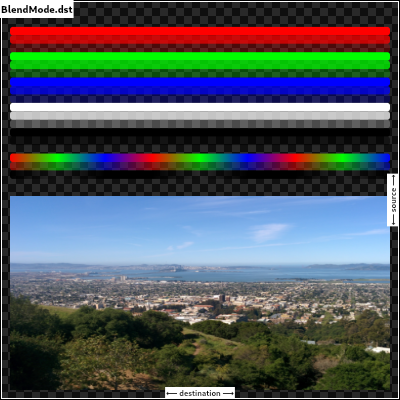
/// each case, an image shows the output of blending a source image with a
/// destination image. In the images below, the destination is represented by an
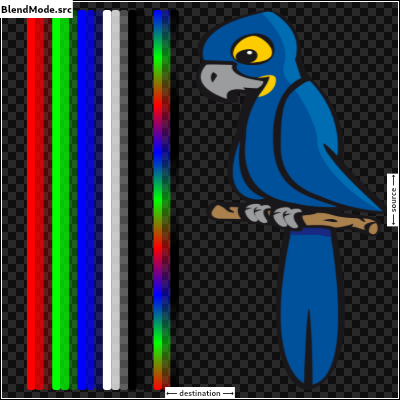
/// image with horizontal lines and an opaque landscape photograph, and the
/// source is represented by an image with vertical lines (the same lines but
/// rotated) and a bird clip-art image. The [src] mode shows only the source
/// image, and the [dst] mode shows only the destination image. In the
/// documentation below, the transparency is illustrated by a checkerboard
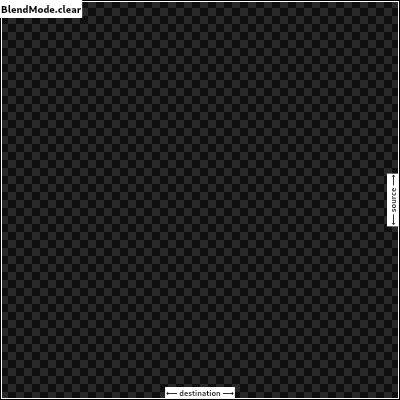
/// pattern. The [clear] mode drops both the source and destination, resulting
/// in an output that is entirely transparent (illustrated by a solid
/// checkerboard pattern).
///
/// The horizontal and vertical bars in these images show the red, green, and
/// blue channels with varying opacity levels, then all three color channels
/// together with those same varying opacity levels, then all three color
/// channels set to zero with those varying opacity levels, then two bars showing
/// a red/green/blue repeating gradient, the first with full opacity and the
/// second with partial opacity, and finally a bar with the three color channels
/// set to zero but the opacity varying in a repeating gradient.
///
/// ## Application to the [Canvas] API
///
/// When using [Canvas.saveLayer] and [Canvas.restore], the blend mode of the
/// [Paint] given to the [Canvas.saveLayer] will be applied when
/// [Canvas.restore] is called. Each call to [Canvas.saveLayer] introduces a new
/// layer onto which shapes and images are painted; when [Canvas.restore] is
/// called, that layer is then composited onto the parent layer, with the source
/// being the most-recently-drawn shapes and images, and the destination being
/// the parent layer. (For the first [Canvas.saveLayer] call, the parent layer
/// is the canvas itself.)
///
/// See also:
///
/// * [Paint.blendMode], which uses [BlendMode] to define the compositing
/// strategy.
enum BlendMode {
// This list comes from Skia's SkXfermode.h and the values (order) should be
// kept in sync.
// See: https://skia.org/user/api/skpaint#SkXfermode
/// Drop both the source and destination images, leaving nothing.
///
/// This corresponds to the "clear" Porter-Duff operator.
///
/// 
clear,
/// Drop the destination image, only paint the source image.
///
/// Conceptually, the destination is first cleared, then the source image is
/// painted.
///
/// This corresponds to the "Copy" Porter-Duff operator.
///
/// 
src,
/// Drop the source image, only paint the destination image.
///
/// Conceptually, the source image is discarded, leaving the destination
/// untouched.
///
/// This corresponds to the "Destination" Porter-Duff operator.
///
/// 
dst,
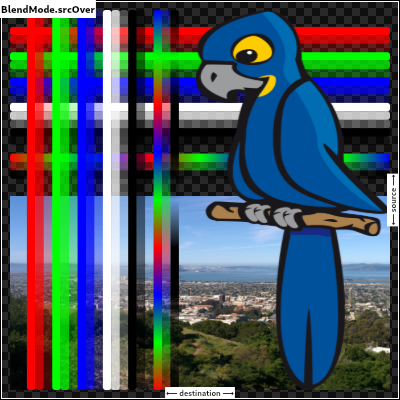
/// Composite the source image over the destination image.
///
/// This is the default value. It represents the most intuitive case, where
/// shapes are painted on top of what is below, with transparent areas showing
/// the destination layer.
///
/// This corresponds to the "Source over Destination" Porter-Duff operator,
/// also known as the Painter's Algorithm.
///
/// 
srcOver,
/// Composite the source image under the destination image.
///
/// This is the opposite of [srcOver].
///
/// This corresponds to the "Destination over Source" Porter-Duff operator.
///
/// 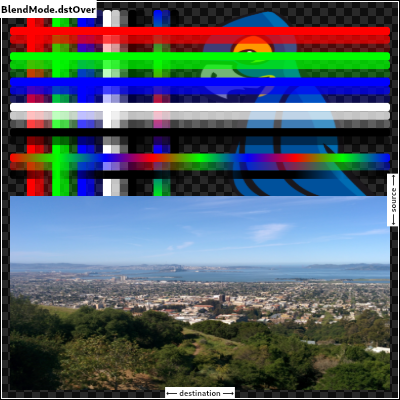
///
/// This is useful when the source image should have been painted before the
/// destination image, but could not be.
dstOver,
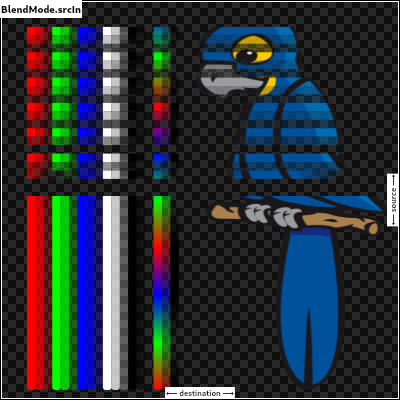
/// Show the source image, but only where the two images overlap. The
/// destination image is not rendered, it is treated merely as a mask. The
/// color channels of the destination are ignored, only the opacity has an
/// effect.
///
/// To show the destination image instead, consider [dstIn].
///
/// To reverse the semantic of the mask (only showing the source where the
/// destination is absent, rather than where it is present), consider
/// [srcOut].
///
/// This corresponds to the "Source in Destination" Porter-Duff operator.
///
/// 
srcIn,
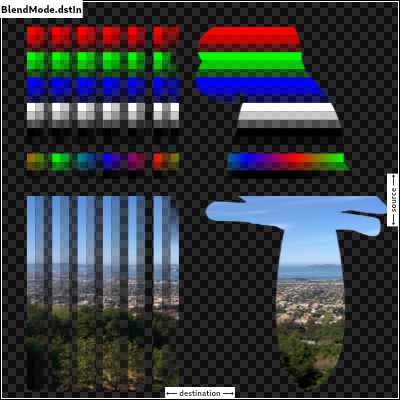
/// Show the destination image, but only where the two images overlap. The
/// source image is not rendered, it is treated merely as a mask. The color
/// channels of the source are ignored, only the opacity has an effect.
///
/// To show the source image instead, consider [srcIn].
///
/// To reverse the semantic of the mask (only showing the source where the
/// destination is present, rather than where it is absent), consider [dstOut].
///
/// This corresponds to the "Destination in Source" Porter-Duff operator.
///
/// 
dstIn,
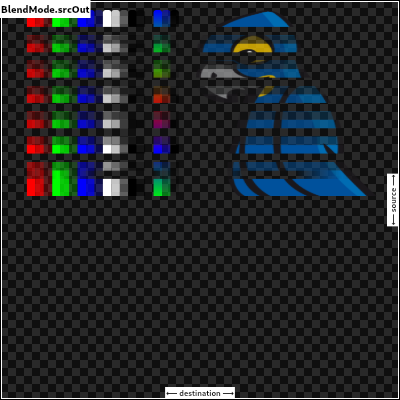
/// Show the source image, but only where the two images do not overlap. The
/// destination image is not rendered, it is treated merely as a mask. The color
/// channels of the destination are ignored, only the opacity has an effect.
///
/// To show the destination image instead, consider [dstOut].
///
/// To reverse the semantic of the mask (only showing the source where the
/// destination is present, rather than where it is absent), consider [srcIn].
///
/// This corresponds to the "Source out Destination" Porter-Duff operator.
///
/// 
srcOut,
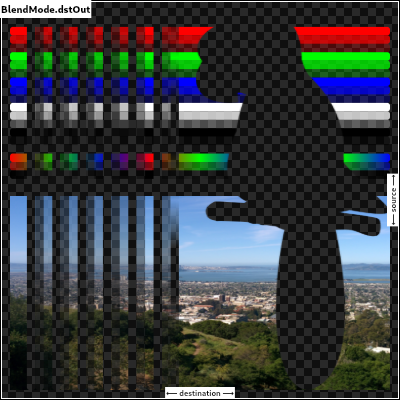
/// Show the destination image, but only where the two images do not overlap. The
/// source image is not rendered, it is treated merely as a mask. The color
/// channels of the source are ignored, only the opacity has an effect.
///
/// To show the source image instead, consider [srcOut].
///
/// To reverse the semantic of the mask (only showing the destination where the
/// source is present, rather than where it is absent), consider [dstIn].
///
/// This corresponds to the "Destination out Source" Porter-Duff operator.
///
/// 
dstOut,
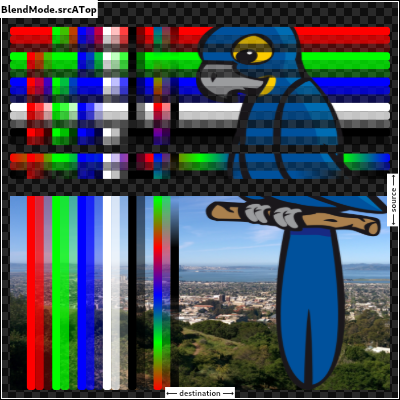
/// Composite the source image over the destination image, but only where it
/// overlaps the destination.
///
/// This corresponds to the "Source atop Destination" Porter-Duff operator.
///
/// This is essentially the [srcOver] operator, but with the output's opacity
/// channel being set to that of the destination image instead of being a
/// combination of both image's opacity channels.
///
/// For a variant with the destination on top instead of the source, see
/// [dstATop].
///
/// 
srcATop,
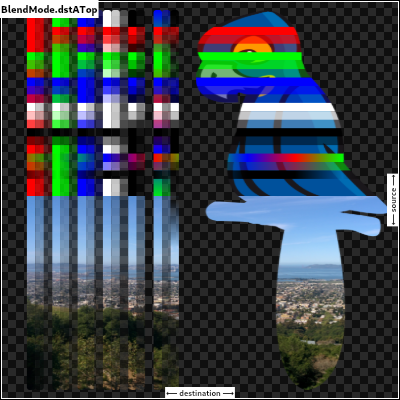
/// Composite the destination image over the source image, but only where it
/// overlaps the source.
///
/// This corresponds to the "Destination atop Source" Porter-Duff operator.
///
/// This is essentially the [dstOver] operator, but with the output's opacity
/// channel being set to that of the source image instead of being a
/// combination of both image's opacity channels.
///
/// For a variant with the source on top instead of the destination, see
/// [srcATop].
///
/// 
dstATop,
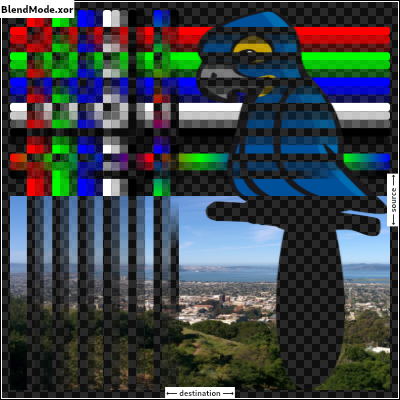
/// Apply a bitwise `xor` operator to the source and destination images. This
/// leaves transparency where they would overlap.
///
/// This corresponds to the "Source xor Destination" Porter-Duff operator.
///
/// 
xor,
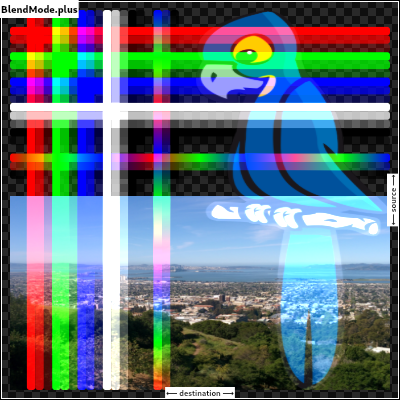
/// Sum the components of the source and destination images.
///
/// Transparency in a pixel of one of the images reduces the contribution of
/// that image to the corresponding output pixel, as if the color of that
/// pixel in that image was darker.
///
/// This corresponds to the "Source plus Destination" Porter-Duff operator.
///
/// 
plus,
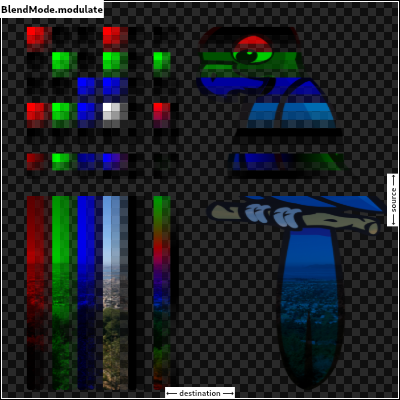
/// Multiply the color components of the source and destination images.
///
/// This can only result in the same or darker colors (multiplying by white,
/// 1.0, results in no change; multiplying by black, 0.0, results in black).
///
/// When compositing two opaque images, this has similar effect to overlapping
/// two transparencies on a projector.
///
/// For a variant that also multiplies the alpha channel, consider [multiply].
///
/// 
///
/// See also:
///
/// * [screen], which does a similar computation but inverted.
/// * [overlay], which combines [modulate] and [screen] to favor the
/// destination image.
/// * [hardLight], which combines [modulate] and [screen] to favor the
/// source image.
modulate,
// Following blend modes are defined in the CSS Compositing standard.
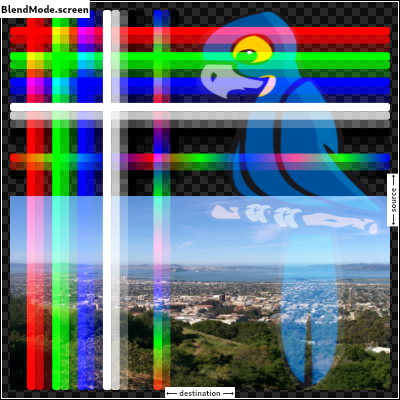
/// Multiply the inverse of the components of the source and destination
/// images, and inverse the result.
///
/// Inverting the components means that a fully saturated channel (opaque
/// white) is treated as the value 0.0, and values normally treated as 0.0
/// (black, transparent) are treated as 1.0.
///
/// This is essentially the same as [modulate] blend mode, but with the values
/// of the colors inverted before the multiplication and the result being
/// inverted back before rendering.
///
/// This can only result in the same or lighter colors (multiplying by black,
/// 1.0, results in no change; multiplying by white, 0.0, results in white).
/// Similarly, in the alpha channel, it can only result in more opaque colors.
///
/// This has similar effect to two projectors displaying their images on the
/// same screen simultaneously.
///
/// 
///
/// See also:
///
/// * [modulate], which does a similar computation but without inverting the
/// values.
/// * [overlay], which combines [modulate] and [screen] to favor the
/// destination image.
/// * [hardLight], which combines [modulate] and [screen] to favor the
/// source image.
screen, // The last coeff mode.
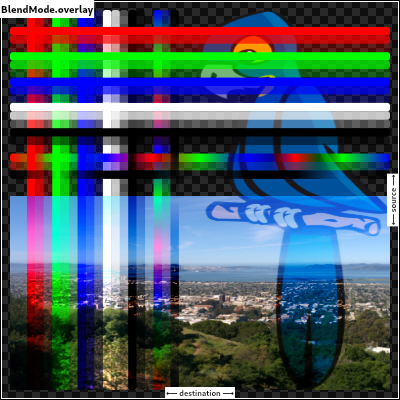
/// Multiply the components of the source and destination images after
/// adjusting them to favor the destination.
///
/// Specifically, if the destination value is smaller, this multiplies it with
/// the source value, whereas is the source value is smaller, it multiplies
/// the inverse of the source value with the inverse of the destination value,
/// then inverts the result.
///
/// Inverting the components means that a fully saturated channel (opaque
/// white) is treated as the value 0.0, and values normally treated as 0.0
/// (black, transparent) are treated as 1.0.
///
/// 
///
/// See also:
///
/// * [modulate], which always multiplies the values.
/// * [screen], which always multiplies the inverses of the values.
/// * [hardLight], which is similar to [overlay] but favors the source image
/// instead of the destination image.
overlay,
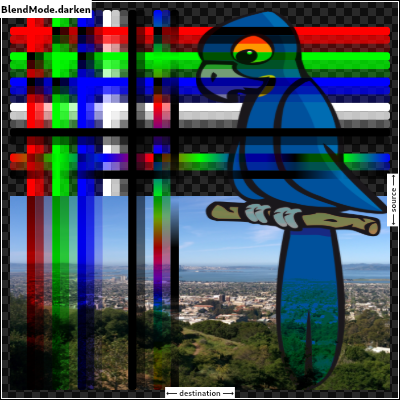
/// Composite the source and destination image by choosing the lowest value
/// from each color channel.
///
/// The opacity of the output image is computed in the same way as for
/// [srcOver].
///
/// 
darken,
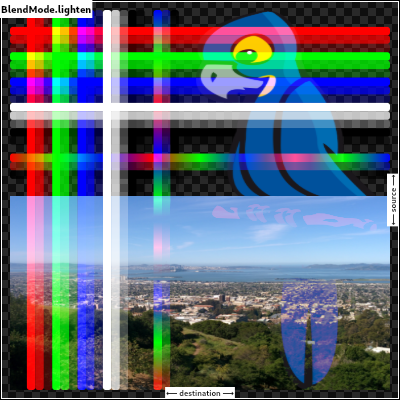
/// Composite the source and destination image by choosing the highest value
/// from each color channel.
///
/// The opacity of the output image is computed in the same way as for
/// [srcOver].
///
/// 
lighten,
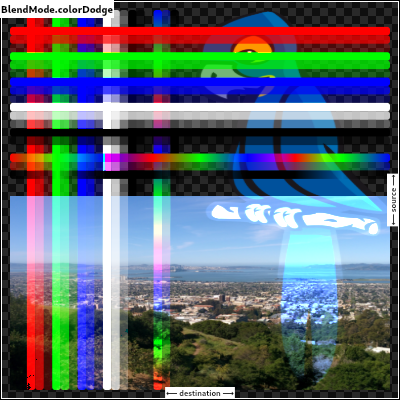
/// Divide the destination by the inverse of the source.
///
/// Inverting the components means that a fully saturated channel (opaque
/// white) is treated as the value 0.0, and values normally treated as 0.0
/// (black, transparent) are treated as 1.0.
///
/// 
colorDodge,
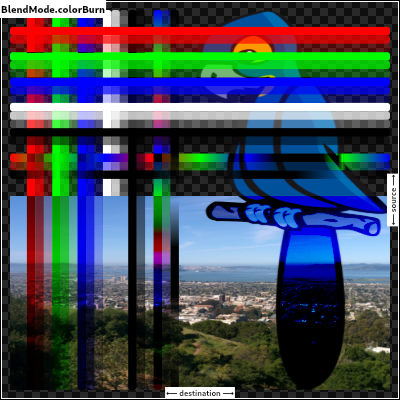
/// Divide the inverse of the destination by the the source, and inverse the result.
///
/// Inverting the components means that a fully saturated channel (opaque
/// white) is treated as the value 0.0, and values normally treated as 0.0
/// (black, transparent) are treated as 1.0.
///
/// 
colorBurn,
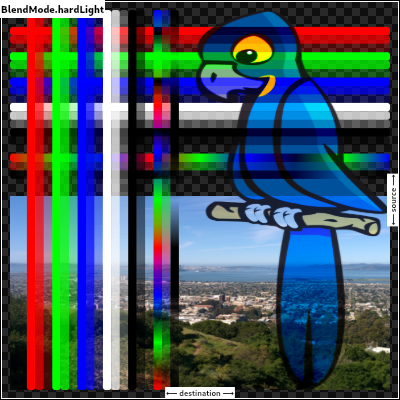
/// Multiply the components of the source and destination images after
/// adjusting them to favor the source.
///
/// Specifically, if the source value is smaller, this multiplies it with the
/// destination value, whereas is the destination value is smaller, it
/// multiplies the inverse of the destination value with the inverse of the
/// source value, then inverts the result.
///
/// Inverting the components means that a fully saturated channel (opaque
/// white) is treated as the value 0.0, and values normally treated as 0.0
/// (black, transparent) are treated as 1.0.
///
/// 
///
/// See also:
///
/// * [modulate], which always multiplies the values.
/// * [screen], which always multiplies the inverses of the values.
/// * [overlay], which is similar to [hardLight] but favors the destination
/// image instead of the source image.
hardLight,
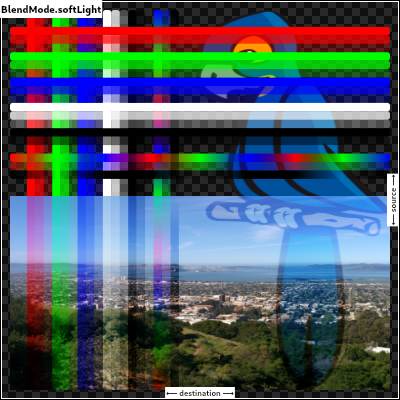
/// Use [colorDodge] for source values below 0.5 and [colorBurn] for source
/// values above 0.5.
///
/// This results in a similar but softer effect than [overlay].
///
/// 
///
/// See also:
///
/// * [color], which is a more subtle tinting effect.
softLight,
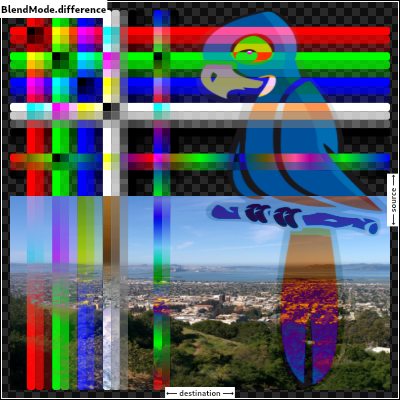
/// Subtract the smaller value from the bigger value for each channel.
///
/// Compositing black has no effect; compositing white inverts the colors of
/// the other image.
///
/// The opacity of the output image is computed in the same way as for
/// [srcOver].
///
/// The effect is similar to [exclusion] but harsher.
///
/// 
difference,
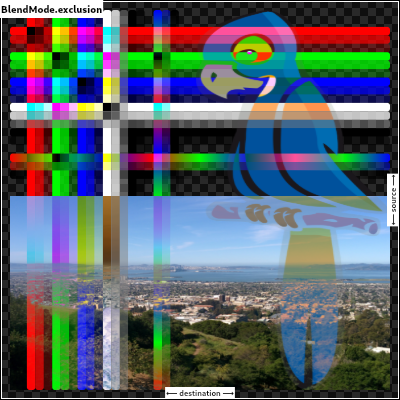
/// Subtract double the product of the two images from the sum of the two
/// images.
///
/// Compositing black has no effect; compositing white inverts the colors of
/// the other image.
///
/// The opacity of the output image is computed in the same way as for
/// [srcOver].
///
/// The effect is similar to [difference] but softer.
///
/// 
exclusion,
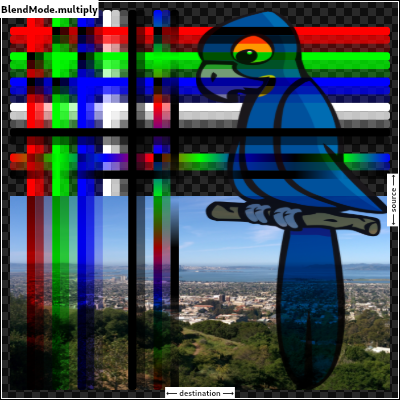
/// Multiply the components of the source and destination images, including
/// the alpha channel.
///
/// This can only result in the same or darker colors (multiplying by white,
/// 1.0, results in no change; multiplying by black, 0.0, results in black).
///
/// Since the alpha channel is also multiplied, a fully-transparent pixel
/// (opacity 0.0) in one image results in a fully transparent pixel in the
/// output. This is similar to [dstIn], but with the colors combined.
///
/// For a variant that multiplies the colors but does not multiply the alpha
/// channel, consider [modulate].
///
/// 
multiply, // The last separable mode.
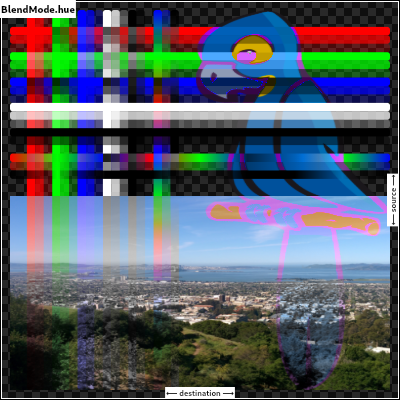
/// Take the hue of the source image, and the saturation and luminosity of the
/// destination image.
///
/// The effect is to tint the destination image with the source image.
///
/// The opacity of the output image is computed in the same way as for
/// [srcOver]. Regions that are entirely transparent in the source image take
/// their hue from the destination.
///
/// 
///
/// See also:
///
/// * [color], which is a similar but stronger effect as it also applies the
/// saturation of the source image.
/// * [HSVColor], which allows colors to be expressed using Hue rather than
/// the red/green/blue channels of [Color].
hue,
/// Take the saturation of the source image, and the hue and luminosity of the
/// destination image.
///
/// The opacity of the output image is computed in the same way as for
/// [srcOver]. Regions that are entirely transparent in the source image take
/// their saturation from the destination.
///
/// 
///
/// See also:
///
/// * [color], which also applies the hue of the source image.
/// * [luminosity], which applies the luminosity of the source image to the
/// destination.
saturation,
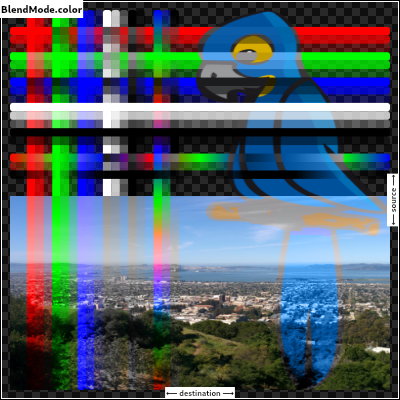
/// Take the hue and saturation of the source image, and the luminosity of the
/// destination image.
///
/// The effect is to tint the destination image with the source image.
///
/// The opacity of the output image is computed in the same way as for
/// [srcOver]. Regions that are entirely transparent in the source image take
/// their hue and saturation from the destination.
///
/// 
///
/// See also:
///
/// * [hue], which is a similar but weaker effect.
/// * [softLight], which is a similar tinting effect but also tints white.
/// * [saturation], which only applies the saturation of the source image.
color,
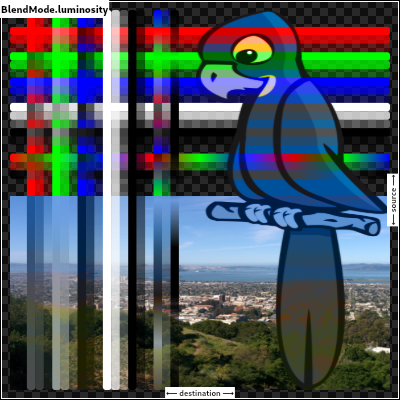
/// Take the luminosity of the source image, and the hue and saturation of the
/// destination image.
///
/// The opacity of the output image is computed in the same way as for
/// [srcOver]. Regions that are entirely transparent in the source image take
/// their luminosity from the destination.
///
/// 
///
/// See also:
///
/// * [saturation], which applies the saturation of the source image to the
/// destination.
/// * [ImageFilter.blur], which can be used with [BackdropFilter] for a
/// related effect.
luminosity,
}
/// Quality levels for image filters.
///
/// See [Paint.filterQuality].
enum FilterQuality {
// This list comes from Skia's SkFilterQuality.h and the values (order) should
// be kept in sync.
/// Fastest possible filtering, albeit also the lowest quality.
///
/// Typically this implies nearest-neighbor filtering.
none,
/// Better quality than [none], faster than [medium].
///
/// Typically this implies bilinear interpolation.
low,
/// Better quality than [low], faster than [high].
///
/// Typically this implies a combination of bilinear interpolation and
/// pyramidal parametric pre-filtering (mipmaps).
medium,
/// Best possible quality filtering, albeit also the slowest.
///
/// Typically this implies bicubic interpolation or better.
high,
}
/// Styles to use for line endings.
///
/// See also:
///
/// * [Paint.strokeCap] for how this value is used.
/// * [StrokeJoin] for the different kinds of line segment joins.
// These enum values must be kept in sync with SkPaint::Cap.
enum StrokeCap {
/// Begin and end contours with a flat edge and no extension.
///
/// 
///
/// Compare to the [square] cap, which has the same shape, but extends past
/// the end of the line by half a stroke width.
butt,
/// Begin and end contours with a semi-circle extension.
///
/// 
///
/// The cap is colored in the diagram above to highlight it: in normal use it
/// is the same color as the line.
round,
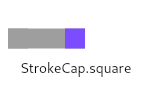
/// Begin and end contours with a half square extension. This is
/// similar to extending each contour by half the stroke width (as
/// given by [Paint.strokeWidth]).
///
/// 
///
/// The cap is colored in the diagram above to highlight it: in normal use it
/// is the same color as the line.
///
/// Compare to the [butt] cap, which has the same shape, but doesn't extend
/// past the end of the line.
square,
}
/// Styles to use for line segment joins.
///
/// This only affects line joins for polygons drawn by [Canvas.drawPath] and
/// rectangles, not points drawn as lines with [Canvas.drawPoints].
///
/// See also:
///
/// * [Paint.strokeJoin] and [Paint.strokeMiterLimit] for how this value is
/// used.
/// * [StrokeCap] for the different kinds of line endings.
// These enum values must be kept in sync with SkPaint::Join.
enum StrokeJoin {
/// Joins between line segments form sharp corners.
///
/// {@animation 300 300 https://flutter.github.io/assets-for-api-docs/assets/dart-ui/miter_4_join.mp4}
///
/// The center of the line segment is colored in the diagram above to
/// highlight the join, but in normal usage the join is the same color as the
/// line.
///
/// See also:
///
/// * [Paint.strokeJoin], used to set the line segment join style to this
/// value.
/// * [Paint.strokeMiterLimit], used to define when a miter is drawn instead
/// of a bevel when the join is set to this value.
miter,
/// Joins between line segments are semi-circular.
///
/// {@animation 300 300 https://flutter.github.io/assets-for-api-docs/assets/dart-ui/round_join.mp4}
///
/// The center of the line segment is colored in the diagram above to
/// highlight the join, but in normal usage the join is the same color as the
/// line.
///
/// See also:
///
/// * [Paint.strokeJoin], used to set the line segment join style to this
/// value.
round,
/// Joins between line segments connect the corners of the butt ends of the
/// line segments to give a beveled appearance.
///
/// {@animation 300 300 https://flutter.github.io/assets-for-api-docs/assets/dart-ui/bevel_join.mp4}
///
/// The center of the line segment is colored in the diagram above to
/// highlight the join, but in normal usage the join is the same color as the
/// line.
///
/// See also:
///
/// * [Paint.strokeJoin], used to set the line segment join style to this
/// value.
bevel,
}
/// Strategies for painting shapes and paths on a canvas.
///
/// See [Paint.style].
// These enum values must be kept in sync with SkPaint::Style.
enum PaintingStyle {
// This list comes from Skia's SkPaint.h and the values (order) should be kept
// in sync.
/// Apply the [Paint] to the inside of the shape. For example, when
/// applied to the [Canvas.drawCircle] call, this results in a disc
/// of the given size being painted.
fill,
/// Apply the [Paint] to the edge of the shape. For example, when
/// applied to the [Canvas.drawCircle] call, this results is a hoop
/// of the given size being painted. The line drawn on the edge will
/// be the width given by the [Paint.strokeWidth] property.
stroke,
}
/// Different ways to clip a widget's content.
enum Clip {
/// No clip at all.
///
/// This is the default option for most widgets: if the content does not
/// overflow the widget boundary, don't pay any performance cost for clipping.
///
/// If the content does overflow, please explicitly specify the following
/// [Clip] options:
/// * [hardEdge], which is the fastest clipping, but with lower fidelity.
/// * [antiAlias], which is a little slower than [hardEdge], but with smoothed edges.
/// * [antiAliasWithSaveLayer], which is much slower than [antiAlias], and should
/// rarely be used.
none,
/// Clip, but do not apply anti-aliasing.
///
/// This mode enables clipping, but curves and non-axis-aligned straight lines will be
/// jagged as no effort is made to anti-alias.
///
/// Faster than other clipping modes, but slower than [none].
///
/// This is a reasonable choice when clipping is needed, if the container is an axis-
/// aligned rectangle or an axis-aligned rounded rectangle with very small corner radii.
///
/// See also:
///
/// * [antiAlias], which is more reasonable when clipping is needed and the shape is not
/// an axis-aligned rectangle.
hardEdge,
/// Clip with anti-aliasing.
///
/// This mode has anti-aliased clipping edges to achieve a smoother look.
///
/// It' s much faster than [antiAliasWithSaveLayer], but slower than [hardEdge].
///
/// This will be the common case when dealing with circles and arcs.
///
/// Different from [hardEdge] and [antiAliasWithSaveLayer], this clipping may have
/// bleeding edge artifacts.
/// (See https://fiddle.skia.org/c/21cb4c2b2515996b537f36e7819288ae for an example.)
///
/// See also:
///
/// * [hardEdge], which is a little faster, but with lower fidelity.
/// * [antiAliasWithSaveLayer], which is much slower, but can avoid the
/// bleeding edges if there's no other way.
/// * [Paint.isAntiAlias], which is the anti-aliasing switch for general draw operations.
antiAlias,
/// Clip with anti-aliasing and saveLayer immediately following the clip.
///
/// This mode not only clips with anti-aliasing, but also allocates an offscreen
/// buffer. All subsequent paints are carried out on that buffer before finally
/// being clipped and composited back.
///
/// This is very slow. It has no bleeding edge artifacts (that [antiAlias] has)
/// but it changes the semantics as an offscreen buffer is now introduced.
/// (See https://github.com/flutter/flutter/issues/18057#issuecomment-394197336
/// for a difference between paint without saveLayer and paint with saveLayer.)
///
/// This will be only rarely needed. One case where you might need this is if
/// you have an image overlaid on a very different background color. In these
/// cases, consider whether you can avoid overlaying multiple colors in one
/// spot (e.g. by having the background color only present where the image is
/// absent). If you can, [antiAlias] would be fine and much faster.
///
/// See also:
///
/// * [antiAlias], which is much faster, and has similar clipping results.
antiAliasWithSaveLayer,
}
// Indicates that the image should not be resized in this dimension.
//
// Used by [instantiateImageCodec] as a magical value to disable resizing
// in the given dimension.
//
// This needs to be kept in sync with "kDoNotResizeDimension" in codec.cc
const int _kDoNotResizeDimension = -1;
/// A description of the style to use when drawing on a [Canvas].
///
/// Most APIs on [Canvas] take a [Paint] object to describe the style
/// to use for that operation.
class Paint {
// Paint objects are encoded in two buffers:
//
// * _data is binary data in four-byte fields, each of which is either a
// uint32_t or a float. The default value for each field is encoded as
// zero to make initialization trivial. Most values already have a default
// value of zero, but some, such as color, have a non-zero default value.
// To encode or decode these values, XOR the value with the default value.
//
// * _objects is a list of unencodable objects, typically wrappers for native
// objects. The objects are simply stored in the list without any additional
// encoding.
//
// The binary format must match the deserialization code in paint.cc.
final ByteData _data = ByteData(_kDataByteCount);
static const int _kIsAntiAliasIndex = 0;
static const int _kColorIndex = 1;
static const int _kBlendModeIndex = 2;
static const int _kStyleIndex = 3;
static const int _kStrokeWidthIndex = 4;
static const int _kStrokeCapIndex = 5;
static const int _kStrokeJoinIndex = 6;
static const int _kStrokeMiterLimitIndex = 7;
static const int _kFilterQualityIndex = 8;
static const int _kMaskFilterIndex = 9;
static const int _kMaskFilterBlurStyleIndex = 10;
static const int _kMaskFilterSigmaIndex = 11;
static const int _kInvertColorIndex = 12;
static const int _kIsAntiAliasOffset = _kIsAntiAliasIndex << 2;
static const int _kColorOffset = _kColorIndex << 2;
static const int _kBlendModeOffset = _kBlendModeIndex << 2;
static const int _kStyleOffset = _kStyleIndex << 2;
static const int _kStrokeWidthOffset = _kStrokeWidthIndex << 2;
static const int _kStrokeCapOffset = _kStrokeCapIndex << 2;
static const int _kStrokeJoinOffset = _kStrokeJoinIndex << 2;
static const int _kStrokeMiterLimitOffset = _kStrokeMiterLimitIndex << 2;
static const int _kFilterQualityOffset = _kFilterQualityIndex << 2;
static const int _kMaskFilterOffset = _kMaskFilterIndex << 2;
static const int _kMaskFilterBlurStyleOffset = _kMaskFilterBlurStyleIndex << 2;
static const int _kMaskFilterSigmaOffset = _kMaskFilterSigmaIndex << 2;
static const int _kInvertColorOffset = _kInvertColorIndex << 2;
// If you add more fields, remember to update _kDataByteCount.
static const int _kDataByteCount = 52;
// Binary format must match the deserialization code in paint.cc.
List<dynamic> _objects;
static const int _kShaderIndex = 0;
static const int _kColorFilterIndex = 1;
static const int _kImageFilterIndex = 2;
static const int _kObjectCount = 3; // Must be one larger than the largest index.
/// Whether to apply anti-aliasing to lines and images drawn on the
/// canvas.
///
/// Defaults to true.
bool get isAntiAlias {
return _data.getInt32(_kIsAntiAliasOffset, _kFakeHostEndian) == 0;
}
set isAntiAlias(bool value) {
// We encode true as zero and false as one because the default value, which
// we always encode as zero, is true.
final int encoded = value ? 0 : 1;
_data.setInt32(_kIsAntiAliasOffset, encoded, _kFakeHostEndian);
}
// Must be kept in sync with the default in paint.cc.
static const int _kColorDefault = 0xFF000000;
/// The color to use when stroking or filling a shape.
///
/// Defaults to opaque black.
///
/// See also:
///
/// * [style], which controls whether to stroke or fill (or both).
/// * [colorFilter], which overrides [color].
/// * [shader], which overrides [color] with more elaborate effects.
///
/// This color is not used when compositing. To colorize a layer, use
/// [colorFilter].
Color get color {
final int encoded = _data.getInt32(_kColorOffset, _kFakeHostEndian);
return Color(encoded ^ _kColorDefault);
}
set color(Color value) {
assert(value != null);
final int encoded = value.value ^ _kColorDefault;
_data.setInt32(_kColorOffset, encoded, _kFakeHostEndian);
}
// Must be kept in sync with the default in paint.cc.
static final int _kBlendModeDefault = BlendMode.srcOver.index;
/// A blend mode to apply when a shape is drawn or a layer is composited.
///
/// The source colors are from the shape being drawn (e.g. from
/// [Canvas.drawPath]) or layer being composited (the graphics that were drawn
/// between the [Canvas.saveLayer] and [Canvas.restore] calls), after applying
/// the [colorFilter], if any.
///
/// The destination colors are from the background onto which the shape or
/// layer is being composited.
///
/// Defaults to [BlendMode.srcOver].
///
/// See also:
///
/// * [Canvas.saveLayer], which uses its [Paint]'s [blendMode] to composite
/// the layer when [restore] is called.
/// * [BlendMode], which discusses the user of [saveLayer] with [blendMode].
BlendMode get blendMode {
final int encoded = _data.getInt32(_kBlendModeOffset, _kFakeHostEndian);
return BlendMode.values[encoded ^ _kBlendModeDefault];
}
set blendMode(BlendMode value) {
assert(value != null);
final int encoded = value.index ^ _kBlendModeDefault;
_data.setInt32(_kBlendModeOffset, encoded, _kFakeHostEndian);
}
/// Whether to paint inside shapes, the edges of shapes, or both.
///
/// Defaults to [PaintingStyle.fill].
PaintingStyle get style {
return PaintingStyle.values[_data.getInt32(_kStyleOffset, _kFakeHostEndian)];
}
set style(PaintingStyle value) {
assert(value != null);
final int encoded = value.index;
_data.setInt32(_kStyleOffset, encoded, _kFakeHostEndian);
}
/// How wide to make edges drawn when [style] is set to
/// [PaintingStyle.stroke]. The width is given in logical pixels measured in
/// the direction orthogonal to the direction of the path.
///
/// Defaults to 0.0, which correspond to a hairline width.
double get strokeWidth {
return _data.getFloat32(_kStrokeWidthOffset, _kFakeHostEndian);
}
set strokeWidth(double value) {
assert(value != null);
final double encoded = value;
_data.setFloat32(_kStrokeWidthOffset, encoded, _kFakeHostEndian);
}
/// The kind of finish to place on the end of lines drawn when
/// [style] is set to [PaintingStyle.stroke].
///
/// Defaults to [StrokeCap.butt], i.e. no caps.
StrokeCap get strokeCap {
return StrokeCap.values[_data.getInt32(_kStrokeCapOffset, _kFakeHostEndian)];
}
set strokeCap(StrokeCap value) {
assert(value != null);
final int encoded = value.index;
_data.setInt32(_kStrokeCapOffset, encoded, _kFakeHostEndian);
}
/// The kind of finish to place on the joins between segments.
///
/// This applies to paths drawn when [style] is set to [PaintingStyle.stroke],
/// It does not apply to points drawn as lines with [Canvas.drawPoints].
///
/// Defaults to [StrokeJoin.miter], i.e. sharp corners.
///
/// Some examples of joins:
///
/// {@animation 300 300 https://flutter.github.io/assets-for-api-docs/assets/dart-ui/miter_4_join.mp4}
///
/// {@animation 300 300 https://flutter.github.io/assets-for-api-docs/assets/dart-ui/round_join.mp4}
///
/// {@animation 300 300 https://flutter.github.io/assets-for-api-docs/assets/dart-ui/bevel_join.mp4}
///
/// The centers of the line segments are colored in the diagrams above to
/// highlight the joins, but in normal usage the join is the same color as the
/// line.
///
/// See also:
///
/// * [strokeMiterLimit] to control when miters are replaced by bevels when
/// this is set to [StrokeJoin.miter].
/// * [strokeCap] to control what is drawn at the ends of the stroke.
/// * [StrokeJoin] for the definitive list of stroke joins.
StrokeJoin get strokeJoin {
return StrokeJoin.values[_data.getInt32(_kStrokeJoinOffset, _kFakeHostEndian)];
}
set strokeJoin(StrokeJoin value) {
assert(value != null);
final int encoded = value.index;
_data.setInt32(_kStrokeJoinOffset, encoded, _kFakeHostEndian);
}
// Must be kept in sync with the default in paint.cc.
static const double _kStrokeMiterLimitDefault = 4.0;
/// The limit for miters to be drawn on segments when the join is set to
/// [StrokeJoin.miter] and the [style] is set to [PaintingStyle.stroke]. If
/// this limit is exceeded, then a [StrokeJoin.bevel] join will be drawn
/// instead. This may cause some 'popping' of the corners of a path if the
/// angle between line segments is animated, as seen in the diagrams below.
///
/// This limit is expressed as a limit on the length of the miter.
///
/// Defaults to 4.0. Using zero as a limit will cause a [StrokeJoin.bevel]
/// join to be used all the time.
///
/// {@animation 300 300 https://flutter.github.io/assets-for-api-docs/assets/dart-ui/miter_0_join.mp4}
///
/// {@animation 300 300 https://flutter.github.io/assets-for-api-docs/assets/dart-ui/miter_4_join.mp4}
///
/// {@animation 300 300 https://flutter.github.io/assets-for-api-docs/assets/dart-ui/miter_6_join.mp4}
///
/// The centers of the line segments are colored in the diagrams above to
/// highlight the joins, but in normal usage the join is the same color as the
/// line.
///
/// See also:
///
/// * [strokeJoin] to control the kind of finish to place on the joins
/// between segments.
/// * [strokeCap] to control what is drawn at the ends of the stroke.
double get strokeMiterLimit {
return _data.getFloat32(_kStrokeMiterLimitOffset, _kFakeHostEndian);
}
set strokeMiterLimit(double value) {
assert(value != null);
final double encoded = value - _kStrokeMiterLimitDefault;
_data.setFloat32(_kStrokeMiterLimitOffset, encoded, _kFakeHostEndian);
}
/// A mask filter (for example, a blur) to apply to a shape after it has been
/// drawn but before it has been composited into the image.
///
/// See [MaskFilter] for details.
MaskFilter get maskFilter {
switch (_data.getInt32(_kMaskFilterOffset, _kFakeHostEndian)) {
case MaskFilter._TypeNone:
return null;
case MaskFilter._TypeBlur:
return MaskFilter.blur(
BlurStyle.values[_data.getInt32(_kMaskFilterBlurStyleOffset, _kFakeHostEndian)],
_data.getFloat32(_kMaskFilterSigmaOffset, _kFakeHostEndian),
);
}
return null;
}
set maskFilter(MaskFilter value) {
if (value == null) {
_data.setInt32(_kMaskFilterOffset, MaskFilter._TypeNone, _kFakeHostEndian);
_data.setInt32(_kMaskFilterBlurStyleOffset, 0, _kFakeHostEndian);
_data.setFloat32(_kMaskFilterSigmaOffset, 0.0, _kFakeHostEndian);
} else {
// For now we only support one kind of MaskFilter, so we don't need to
// check what the type is if it's not null.
_data.setInt32(_kMaskFilterOffset, MaskFilter._TypeBlur, _kFakeHostEndian);
_data.setInt32(_kMaskFilterBlurStyleOffset, value._style.index, _kFakeHostEndian);
_data.setFloat32(_kMaskFilterSigmaOffset, value._sigma, _kFakeHostEndian);
}
}
/// Controls the performance vs quality trade-off to use when applying
/// filters, such as [maskFilter], or when drawing images, as with
/// [Canvas.drawImageRect] or [Canvas.drawImageNine].
///
/// Defaults to [FilterQuality.none].
// TODO(ianh): verify that the image drawing methods actually respect this
FilterQuality get filterQuality {
return FilterQuality.values[_data.getInt32(_kFilterQualityOffset, _kFakeHostEndian)];
}
set filterQuality(FilterQuality value) {
assert(value != null);
final int encoded = value.index;
_data.setInt32(_kFilterQualityOffset, encoded, _kFakeHostEndian);
}
/// The shader to use when stroking or filling a shape.
///
/// When this is null, the [color] is used instead.
///
/// See also:
///
/// * [Gradient], a shader that paints a color gradient.
/// * [ImageShader], a shader that tiles an [Image].
/// * [colorFilter], which overrides [shader].
/// * [color], which is used if [shader] and [colorFilter] are null.
Shader get shader {
if (_objects == null)
return null;
return _objects[_kShaderIndex];
}
set shader(Shader value) {
_objects ??= List<dynamic>(_kObjectCount);
_objects[_kShaderIndex] = value;
}
/// A color filter to apply when a shape is drawn or when a layer is
/// composited.
///
/// See [ColorFilter] for details.
///
/// When a shape is being drawn, [colorFilter] overrides [color] and [shader].
ColorFilter get colorFilter {
if (_objects == null || _objects[_kColorFilterIndex] == null) {
return null;
}
return _objects[_kColorFilterIndex].creator;
}
set colorFilter(ColorFilter value) {
final _ColorFilter nativeFilter = value?._toNativeColorFilter();
if (nativeFilter == null) {
if (_objects != null) {
_objects[_kColorFilterIndex] = null;
}
} else {
if (_objects == null) {
_objects = List<dynamic>(_kObjectCount);
_objects[_kColorFilterIndex] = nativeFilter;
} else if (_objects[_kColorFilterIndex]?.creator != value) {
_objects[_kColorFilterIndex] = nativeFilter;
}
}
}
/// The [ImageFilter] to use when drawing raster images.
///
/// For example, to blur an image using [Canvas.drawImage], apply an
/// [ImageFilter.blur]:
///
/// ```dart
/// import 'dart:ui' as ui;
///
/// ui.Image image;
///
/// void paint(Canvas canvas, Size size) {
/// canvas.drawImage(
/// image,
/// Offset.zero,
/// Paint()..imageFilter = ui.ImageFilter.blur(sigmaX: .5, sigmaY: .5),
/// );
/// }
/// ```
///
/// See also:
///
/// * [MaskFilter], which is used for drawing geometry.
ImageFilter get imageFilter {
if (_objects == null)
return null;
return _objects[_kImageFilterIndex];
}
set imageFilter(ImageFilter value) {
_objects ??= List<dynamic>(_kObjectCount);
_objects[_kImageFilterIndex] = value;
}
/// Whether the colors of the image are inverted when drawn.
///
/// Inverting the colors of an image applies a new color filter that will
/// be composed with any user provided color filters. This is primarily
/// used for implementing smart invert on iOS.
bool get invertColors {
return _data.getInt32(_kInvertColorOffset, _kFakeHostEndian) == 1;
}
set invertColors(bool value) {
_data.setInt32(_kInvertColorOffset, value ? 1 : 0, _kFakeHostEndian);
}
@override
String toString() {
final StringBuffer result = StringBuffer();
String semicolon = '';
result.write('Paint(');
if (style == PaintingStyle.stroke) {
result.write('$style');
if (strokeWidth != 0.0)
result.write(' ${strokeWidth.toStringAsFixed(1)}');
else
result.write(' hairline');
if (strokeCap != StrokeCap.butt)
result.write(' $strokeCap');
if (strokeJoin == StrokeJoin.miter) {
if (strokeMiterLimit != _kStrokeMiterLimitDefault)
result.write(' $strokeJoin up to ${strokeMiterLimit.toStringAsFixed(1)}');
} else {
result.write(' $strokeJoin');
}
semicolon = '; ';
}
if (isAntiAlias != true) {
result.write('${semicolon}antialias off');
semicolon = '; ';
}
if (color != const Color(_kColorDefault)) {
if (color != null)
result.write('$semicolon$color');
else
result.write('${semicolon}no color');
semicolon = '; ';
}
if (blendMode.index != _kBlendModeDefault) {
result.write('$semicolon$blendMode');
semicolon = '; ';
}
if (colorFilter != null) {
result.write('${semicolon}colorFilter: $colorFilter');
semicolon = '; ';
}
if (maskFilter != null) {
result.write('${semicolon}maskFilter: $maskFilter');
semicolon = '; ';
}
if (filterQuality != FilterQuality.none) {
result.write('${semicolon}filterQuality: $filterQuality');
semicolon = '; ';
}
if (shader != null) {
result.write('${semicolon}shader: $shader');
semicolon = '; ';
}
if (imageFilter != null) {
result.write('${semicolon}imageFilter: $imageFilter');
semicolon = '; ';
}
if (invertColors)
result.write('${semicolon}invert: $invertColors');
result.write(')');
return result.toString();
}
}
/// The format in which image bytes should be returned when using
/// [Image.toByteData].
enum ImageByteFormat {
/// Raw RGBA format.
///
/// Unencoded bytes, in RGBA row-primary form, 8 bits per channel.
rawRgba,
/// Raw unmodified format.
///
/// Unencoded bytes, in the image's existing format. For example, a grayscale
/// image may use a single 8-bit channel for each pixel.
rawUnmodified,
/// PNG format.
///
/// A loss-less compression format for images. This format is well suited for
/// images with hard edges, such as screenshots or sprites, and images with
/// text. Transparency is supported. The PNG format supports images up to
/// 2,147,483,647 pixels in either dimension, though in practice available
/// memory provides a more immediate limitation on maximum image size.
///
/// PNG images normally use the `.png` file extension and the `image/png` MIME
/// type.
///
/// See also:
///
/// * <https://en.wikipedia.org/wiki/Portable_Network_Graphics>, the Wikipedia page on PNG.
/// * <https://tools.ietf.org/rfc/rfc2083.txt>, the PNG standard.
png,
}
/// The format of pixel data given to [decodeImageFromPixels].
enum PixelFormat {
/// Each pixel is 32 bits, with the highest 8 bits encoding red, the next 8
/// bits encoding green, the next 8 bits encoding blue, and the lowest 8 bits
/// encoding alpha.
rgba8888,
/// Each pixel is 32 bits, with the highest 8 bits encoding blue, the next 8
/// bits encoding green, the next 8 bits encoding red, and the lowest 8 bits
/// encoding alpha.
bgra8888,
}
class _ImageInfo {
_ImageInfo(this.width, this.height, this.format, this.rowBytes) {
rowBytes ??= width * 4;
}
@pragma('vm:entry-point', 'get')
int width;
@pragma('vm:entry-point', 'get')
int height;
@pragma('vm:entry-point', 'get')
int format;
@pragma('vm:entry-point', 'get')
int rowBytes;
}
/// Opaque handle to raw decoded image data (pixels).
///
/// To obtain an [Image] object, use [instantiateImageCodec].
///
/// To draw an [Image], use one of the methods on the [Canvas] class, such as
/// [Canvas.drawImage].
///
/// See also:
///
/// * [Image](https://api.flutter.dev/flutter/widgets/Image-class.html), the class in the [widgets] library.
///
@pragma('vm:entry-point')
class Image extends NativeFieldWrapperClass2 {
// This class is created by the engine, and should not be instantiated
// or extended directly.
//
// To obtain an [Image] object, use [instantiateImageCodec].
@pragma('vm:entry-point')
Image._();
/// The number of image pixels along the image's horizontal axis.
int get width native 'Image_width';
/// The number of image pixels along the image's vertical axis.
int get height native 'Image_height';
/// Converts the [Image] object into a byte array.
///
/// The [format] argument specifies the format in which the bytes will be
/// returned.
///
/// Returns a future that completes with the binary image data or an error
/// if encoding fails.
Future<ByteData> toByteData({ImageByteFormat format = ImageByteFormat.rawRgba}) {
return _futurize((_Callback<ByteData> callback) {
return _toByteData(format.index, (Uint8List encoded) {
callback(encoded?.buffer?.asByteData());
});
});
}
/// Returns an error message on failure, null on success.
String _toByteData(int format, _Callback<Uint8List> callback) native 'Image_toByteData';
/// Release the resources used by this object. The object is no longer usable
/// after this method is called.
void dispose() native 'Image_dispose';
@override
String toString() => '[$width\u00D7$height]';
}
/// Callback signature for [decodeImageFromList].
typedef ImageDecoderCallback = void Function(Image result);
/// Information for a single frame of an animation.
///
/// To obtain an instance of the [FrameInfo] interface, see
/// [Codec.getNextFrame].
@pragma('vm:entry-point')
class FrameInfo extends NativeFieldWrapperClass2 {
/// This class is created by the engine, and should not be instantiated
/// or extended directly.
///
/// To obtain an instance of the [FrameInfo] interface, see
/// [Codec.getNextFrame].
@pragma('vm:entry-point')
FrameInfo._();
/// The duration this frame should be shown.
Duration get duration => Duration(milliseconds: _durationMillis);
int get _durationMillis native 'FrameInfo_durationMillis';
/// The [Image] object for this frame.
Image get image native 'FrameInfo_image';
}
/// A handle to an image codec.
///
/// This class is created by the engine, and should not be instantiated
/// or extended directly.
///
/// To obtain an instance of the [Codec] interface, see
/// [instantiateImageCodec].
@pragma('vm:entry-point')
class Codec extends NativeFieldWrapperClass2 {
//
// This class is created by the engine, and should not be instantiated
// or extended directly.
//
// To obtain an instance of the [Codec] interface, see
// [instantiateImageCodec].
@pragma('vm:entry-point')
Codec._();
/// Number of frames in this image.
int get frameCount native 'Codec_frameCount';
/// Number of times to repeat the animation.
///
/// * 0 when the animation should be played once.
/// * -1 for infinity repetitions.
int get repetitionCount native 'Codec_repetitionCount';
/// Fetches the next animation frame.
///
/// Wraps back to the first frame after returning the last frame.
///
/// The returned future can complete with an error if the decoding has failed.
Future<FrameInfo> getNextFrame() {
return _futurize(_getNextFrame);
}
/// Returns an error message on failure, null on success.
String _getNextFrame(_Callback<FrameInfo> callback) native 'Codec_getNextFrame';
/// Release the resources used by this object. The object is no longer usable
/// after this method is called.
void dispose() native 'Codec_dispose';
}
/// Instantiates an image codec [Codec] object.
///
/// [list] is the binary image data (e.g a PNG or GIF binary data).
/// The data can be for either static or animated images. The following image
/// formats are supported: {@macro flutter.dart:ui.imageFormats}
///
/// The [targetWidth] and [targetHeight] arguments specify the size of the output
/// image, in image pixels. If they are not equal to the intrinsic dimensions of the
/// image, then the image will be scaled after being decoded. If exactly one of
/// these two arguments is specified, then the aspect ratio will be maintained
/// while forcing the image to match the specified dimension. If both are not
/// specified, then the image maintains its real size.
///
/// The returned future can complete with an error if the image decoding has
/// failed.
Future<Codec> instantiateImageCodec(Uint8List list, {
int targetWidth,
int targetHeight,
}) {
return _futurize(
(_Callback<Codec> callback) => _instantiateImageCodec(list, callback, null, targetWidth ?? _kDoNotResizeDimension, targetHeight ?? _kDoNotResizeDimension)
);
}
/// Instantiates a [Codec] object for an image binary data.
///
/// The [targetWidth] and [targetHeight] arguments specify the size of the output
/// image, in image pixels. Image in this context refers to image in every frame of the [Codec].
/// If [targetWidth] and [targetHeight] are not equal to the intrinsic dimensions of the
/// image, then the image will be scaled after being decoded. If exactly one of
/// these two arguments is not equal to [_kDoNotResizeDimension], then the aspect
/// ratio will be maintained while forcing the image to match the given dimension.
/// If both are equal to [_kDoNotResizeDimension], then the image maintains its real size.
///
/// Returns an error message if the instantiation has failed, null otherwise.
String _instantiateImageCodec(Uint8List list, _Callback<Codec> callback, _ImageInfo imageInfo, int targetWidth, int targetHeight)
native 'instantiateImageCodec';
/// Loads a single image frame from a byte array into an [Image] object.
///
/// This is a convenience wrapper around [instantiateImageCodec]. Prefer using
/// [instantiateImageCodec] which also supports multi frame images.
void decodeImageFromList(Uint8List list, ImageDecoderCallback callback) {
_decodeImageFromListAsync(list, callback);
}
Future<Null> _decodeImageFromListAsync(Uint8List list,
ImageDecoderCallback callback) async {
final Codec codec = await instantiateImageCodec(list);
final FrameInfo frameInfo = await codec.getNextFrame();
callback(frameInfo.image);
}
/// Convert an array of pixel values into an [Image] object.
///
/// [pixels] is the pixel data in the encoding described by [format].
///
/// [rowBytes] is the number of bytes consumed by each row of pixels in the
/// data buffer. If unspecified, it defaults to [width] multiplied by the
/// number of bytes per pixel in the provided [format].
///
/// The [targetWidth] and [targetHeight] arguments specify the size of the output
/// image, in image pixels. If they are not equal to the intrinsic dimensions of the
/// image, then the image will be scaled after being decoded. If exactly one of
/// these two arguments is specified, then the aspect ratio will be maintained
/// while forcing the image to match the other given dimension. If neither is
/// specified, then the image maintains its real size.
void decodeImageFromPixels(
Uint8List pixels,
int width,
int height,
PixelFormat format,
ImageDecoderCallback callback,
{int rowBytes, int targetWidth, int targetHeight}
) {
final _ImageInfo imageInfo = _ImageInfo(width, height, format.index, rowBytes);
final Future<Codec> codecFuture = _futurize(
(_Callback<Codec> callback) => _instantiateImageCodec(pixels, callback, imageInfo, targetWidth ?? _kDoNotResizeDimension, targetHeight ?? _kDoNotResizeDimension)
);
codecFuture.then((Codec codec) => codec.getNextFrame())
.then((FrameInfo frameInfo) => callback(frameInfo.image));
}
/// Determines the winding rule that decides how the interior of a [Path] is
/// calculated.
///
/// This enum is used by the [Path.fillType] property.
enum PathFillType {
/// The interior is defined by a non-zero sum of signed edge crossings.
///
/// For a given point, the point is considered to be on the inside of the path
/// if a line drawn from the point to infinity crosses lines going clockwise
/// around the point a different number of times than it crosses lines going
/// counter-clockwise around that point.
///
/// See: <https://en.wikipedia.org/wiki/Nonzero-rule>
nonZero,
/// The interior is defined by an odd number of edge crossings.
///
/// For a given point, the point is considered to be on the inside of the path
/// if a line drawn from the point to infinity crosses an odd number of lines.
///
/// See: <https://en.wikipedia.org/wiki/Even-odd_rule>
evenOdd,
}
/// Strategies for combining paths.
///
/// See also:
///
/// * [Path.combine], which uses this enum to decide how to combine two paths.
// Must be kept in sync with SkPathOp
enum PathOperation {
/// Subtract the second path from the first path.
///
/// For example, if the two paths are overlapping circles of equal diameter
/// but differing centers, the result would be a crescent portion of the
/// first circle that was not overlapped by the second circle.
///
/// See also:
///
/// * [reverseDifference], which is the same but subtracting the first path
/// from the second.
difference,
/// Create a new path that is the intersection of the two paths, leaving the
/// overlapping pieces of the path.
///
/// For example, if the two paths are overlapping circles of equal diameter
/// but differing centers, the result would be only the overlapping portion
/// of the two circles.
///
/// See also:
/// * [xor], which is the inverse of this operation
intersect,
/// Create a new path that is the union (inclusive-or) of the two paths.
///
/// For example, if the two paths are overlapping circles of equal diameter
/// but differing centers, the result would be a figure-eight like shape
/// matching the outer boundaries of both circles.
union,
/// Create a new path that is the exclusive-or of the two paths, leaving
/// everything but the overlapping pieces of the path.
///
/// For example, if the two paths are overlapping circles of equal diameter
/// but differing centers, the figure-eight like shape less the overlapping parts
///
/// See also:
/// * [intersect], which is the inverse of this operation
xor,
/// Subtract the first path from the second path.
///
/// For example, if the two paths are overlapping circles of equal diameter
/// but differing centers, the result would be a crescent portion of the
/// second circle that was not overlapped by the first circle.
///
/// See also:
///
/// * [difference], which is the same but subtracting the second path
/// from the first.
reverseDifference,
}
/// A handle for the framework to hold and retain an engine layer across frames.
@pragma('vm:entry-point')
class EngineLayer extends NativeFieldWrapperClass2 {
/// This class is created by the engine, and should not be instantiated
/// or extended directly.
@pragma('vm:entry-point')
EngineLayer._();
}
/// A complex, one-dimensional subset of a plane.
///
/// A path consists of a number of sub-paths, and a _current point_.
///
/// Sub-paths consist of segments of various types, such as lines,
/// arcs, or beziers. Sub-paths can be open or closed, and can
/// self-intersect.
///
/// Closed sub-paths enclose a (possibly discontiguous) region of the
/// plane based on the current [fillType].
///
/// The _current point_ is initially at the origin. After each
/// operation adding a segment to a sub-path, the current point is
/// updated to the end of that segment.
///
/// Paths can be drawn on canvases using [Canvas.drawPath], and can
/// used to create clip regions using [Canvas.clipPath].
@pragma('vm:entry-point')
class Path extends NativeFieldWrapperClass2 {
/// Create a new empty [Path] object.
@pragma('vm:entry-point')
Path() { _constructor(); }
void _constructor() native 'Path_constructor';
/// Creates a copy of another [Path].
///
/// This copy is fast and does not require additional memory unless either
/// the `source` path or the path returned by this constructor are modified.
factory Path.from(Path source) {
return source._clone();
}
Path _clone() native 'Path_clone';
/// Determines how the interior of this path is calculated.
///
/// Defaults to the non-zero winding rule, [PathFillType.nonZero].
PathFillType get fillType => PathFillType.values[_getFillType()];
set fillType(PathFillType value) => _setFillType(value.index);
int _getFillType() native 'Path_getFillType';
void _setFillType(int fillType) native 'Path_setFillType';
/// Starts a new sub-path at the given coordinate.
void moveTo(double x, double y) native 'Path_moveTo';
/// Starts a new sub-path at the given offset from the current point.
void relativeMoveTo(double dx, double dy) native 'Path_relativeMoveTo';
/// Adds a straight line segment from the current point to the given
/// point.
void lineTo(double x, double y) native 'Path_lineTo';
/// Adds a straight line segment from the current point to the point
/// at the given offset from the current point.
void relativeLineTo(double dx, double dy) native 'Path_relativeLineTo';
/// Adds a quadratic bezier segment that curves from the current
/// point to the given point (x2,y2), using the control point
/// (x1,y1).
void quadraticBezierTo(double x1, double y1, double x2, double y2) native 'Path_quadraticBezierTo';
/// Adds a quadratic bezier segment that curves from the current
/// point to the point at the offset (x2,y2) from the current point,
/// using the control point at the offset (x1,y1) from the current
/// point.
void relativeQuadraticBezierTo(double x1, double y1, double x2, double y2) native 'Path_relativeQuadraticBezierTo';
/// Adds a cubic bezier segment that curves from the current point
/// to the given point (x3,y3), using the control points (x1,y1) and
/// (x2,y2).
void cubicTo(double x1, double y1, double x2, double y2, double x3, double y3) native 'Path_cubicTo';
/// Adds a cubic bezier segment that curves from the current point
/// to the point at the offset (x3,y3) from the current point, using
/// the control points at the offsets (x1,y1) and (x2,y2) from the
/// current point.
void relativeCubicTo(double x1, double y1, double x2, double y2, double x3, double y3) native 'Path_relativeCubicTo';
/// Adds a bezier segment that curves from the current point to the
/// given point (x2,y2), using the control points (x1,y1) and the
/// weight w. If the weight is greater than 1, then the curve is a
/// hyperbola; if the weight equals 1, it's a parabola; and if it is
/// less than 1, it is an ellipse.
void conicTo(double x1, double y1, double x2, double y2, double w) native 'Path_conicTo';
/// Adds a bezier segment that curves from the current point to the
/// point at the offset (x2,y2) from the current point, using the
/// control point at the offset (x1,y1) from the current point and
/// the weight w. If the weight is greater than 1, then the curve is
/// a hyperbola; if the weight equals 1, it's a parabola; and if it
/// is less than 1, it is an ellipse.
void relativeConicTo(double x1, double y1, double x2, double y2, double w) native 'Path_relativeConicTo';
/// If the `forceMoveTo` argument is false, adds a straight line
/// segment and an arc segment.
///
/// If the `forceMoveTo` argument is true, starts a new sub-path
/// consisting of an arc segment.
///
/// In either case, the arc segment consists of the arc that follows
/// the edge of the oval bounded by the given rectangle, from
/// startAngle radians around the oval up to startAngle + sweepAngle
/// radians around the oval, with zero radians being the point on
/// the right hand side of the oval that crosses the horizontal line
/// that intersects the center of the rectangle and with positive
/// angles going clockwise around the oval.
///
/// The line segment added if `forceMoveTo` is false starts at the
/// current point and ends at the start of the arc.
void arcTo(Rect rect, double startAngle, double sweepAngle, bool forceMoveTo) {
assert(_rectIsValid(rect));
_arcTo(rect.left, rect.top, rect.right, rect.bottom, startAngle, sweepAngle, forceMoveTo);
}
void _arcTo(double left, double top, double right, double bottom,
double startAngle, double sweepAngle, bool forceMoveTo) native 'Path_arcTo';
/// Appends up to four conic curves weighted to describe an oval of `radius`
/// and rotated by `rotation`.
///
/// The first curve begins from the last point in the path and the last ends
/// at `arcEnd`. The curves follow a path in a direction determined by
/// `clockwise` and `largeArc` in such a way that the sweep angle
/// is always less than 360 degrees.
///
/// A simple line is appended if either either radii are zero or the last
/// point in the path is `arcEnd`. The radii are scaled to fit the last path
/// point if both are greater than zero but too small to describe an arc.
///
void arcToPoint(Offset arcEnd, {
Radius radius = Radius.zero,
double rotation = 0.0,
bool largeArc = false,
bool clockwise = true,
}) {
assert(_offsetIsValid(arcEnd));
assert(_radiusIsValid(radius));
_arcToPoint(arcEnd.dx, arcEnd.dy, radius.x, radius.y, rotation,
largeArc, clockwise);
}
void _arcToPoint(double arcEndX, double arcEndY, double radiusX,
double radiusY, double rotation, bool largeArc,
bool clockwise) native 'Path_arcToPoint';
/// Appends up to four conic curves weighted to describe an oval of `radius`
/// and rotated by `rotation`.
///
/// The last path point is described by (px, py).
///
/// The first curve begins from the last point in the path and the last ends
/// at `arcEndDelta.dx + px` and `arcEndDelta.dy + py`. The curves follow a
/// path in a direction determined by `clockwise` and `largeArc`
/// in such a way that the sweep angle is always less than 360 degrees.
///
/// A simple line is appended if either either radii are zero, or, both
/// `arcEndDelta.dx` and `arcEndDelta.dy` are zero. The radii are scaled to
/// fit the last path point if both are greater than zero but too small to
/// describe an arc.
void relativeArcToPoint(Offset arcEndDelta, {
Radius radius = Radius.zero,
double rotation = 0.0,
bool largeArc = false,
bool clockwise = true,
}) {
assert(_offsetIsValid(arcEndDelta));
assert(_radiusIsValid(radius));
_relativeArcToPoint(arcEndDelta.dx, arcEndDelta.dy, radius.x, radius.y,
rotation, largeArc, clockwise);
}
void _relativeArcToPoint(double arcEndX, double arcEndY, double radiusX,
double radiusY, double rotation,
bool largeArc, bool clockwise)
native 'Path_relativeArcToPoint';
/// Adds a new sub-path that consists of four lines that outline the
/// given rectangle.
void addRect(Rect rect) {
assert(_rectIsValid(rect));
_addRect(rect.left, rect.top, rect.right, rect.bottom);
}
void _addRect(double left, double top, double right, double bottom) native 'Path_addRect';
/// Adds a new sub-path that consists of a curve that forms the
/// ellipse that fills the given rectangle.
///
/// To add a circle, pass an appropriate rectangle as `oval`. [Rect.fromCircle]
/// can be used to easily describe the circle's center [Offset] and radius.
void addOval(Rect oval) {
assert(_rectIsValid(oval));
_addOval(oval.left, oval.top, oval.right, oval.bottom);
}
void _addOval(double left, double top, double right, double bottom) native 'Path_addOval';
/// Adds a new sub-path with one arc segment that consists of the arc
/// that follows the edge of the oval bounded by the given
/// rectangle, from startAngle radians around the oval up to
/// startAngle + sweepAngle radians around the oval, with zero
/// radians being the point on the right hand side of the oval that
/// crosses the horizontal line that intersects the center of the
/// rectangle and with positive angles going clockwise around the
/// oval.
void addArc(Rect oval, double startAngle, double sweepAngle) {
assert(_rectIsValid(oval));
_addArc(oval.left, oval.top, oval.right, oval.bottom, startAngle, sweepAngle);
}
void _addArc(double left, double top, double right, double bottom,
double startAngle, double sweepAngle) native 'Path_addArc';
/// Adds a new sub-path with a sequence of line segments that connect the given
/// points.
///
/// If `close` is true, a final line segment will be added that connects the
/// last point to the first point.
///
/// The `points` argument is interpreted as offsets from the origin.
void addPolygon(List<Offset> points, bool close) {
assert(points != null);
_addPolygon(_encodePointList(points), close);
}
void _addPolygon(Float32List points, bool close) native 'Path_addPolygon';
/// Adds a new sub-path that consists of the straight lines and
/// curves needed to form the rounded rectangle described by the
/// argument.
void addRRect(RRect rrect) {
assert(_rrectIsValid(rrect));
_addRRect(rrect._value32);
}
void _addRRect(Float32List rrect) native 'Path_addRRect';
/// Adds a new sub-path that consists of the given `path` offset by the given
/// `offset`.
///
/// If `matrix4` is specified, the path will be transformed by this matrix
/// after the matrix is translated by the given offset. The matrix is a 4x4
/// matrix stored in column major order.
void addPath(Path path, Offset offset, {Float64List matrix4}) {
assert(path != null); // path is checked on the engine side
assert(_offsetIsValid(offset));
if (matrix4 != null) {
assert(_matrix4IsValid(matrix4));
_addPathWithMatrix(path, offset.dx, offset.dy, matrix4);
} else {
_addPath(path, offset.dx, offset.dy);
}
}
void _addPath(Path path, double dx, double dy) native 'Path_addPath';
void _addPathWithMatrix(Path path, double dx, double dy, Float64List matrix) native 'Path_addPathWithMatrix';
/// Adds the given path to this path by extending the current segment of this
/// path with the the first segment of the given path.
///
/// If `matrix4` is specified, the path will be transformed by this matrix
/// after the matrix is translated by the given `offset`. The matrix is a 4x4
/// matrix stored in column major order.
void extendWithPath(Path path, Offset offset, {Float64List matrix4}) {
assert(path != null); // path is checked on the engine side
assert(_offsetIsValid(offset));
if (matrix4 != null) {
assert(_matrix4IsValid(matrix4));
_extendWithPathAndMatrix(path, offset.dx, offset.dy, matrix4);
} else {
_extendWithPath(path, offset.dx, offset.dy);
}
}
void _extendWithPath(Path path, double dx, double dy) native 'Path_extendWithPath';
void _extendWithPathAndMatrix(Path path, double dx, double dy, Float64List matrix) native 'Path_extendWithPathAndMatrix';
/// Closes the last sub-path, as if a straight line had been drawn
/// from the current point to the first point of the sub-path.
void close() native 'Path_close';
/// Clears the [Path] object of all sub-paths, returning it to the
/// same state it had when it was created. The _current point_ is
/// reset to the origin.
void reset() native 'Path_reset';
/// Tests to see if the given point is within the path. (That is, whether the
/// point would be in the visible portion of the path if the path was used
/// with [Canvas.clipPath].)
///
/// The `point` argument is interpreted as an offset from the origin.
///
/// Returns true if the point is in the path, and false otherwise.
bool contains(Offset point) {
assert(_offsetIsValid(point));
return _contains(point.dx, point.dy);
}
bool _contains(double x, double y) native 'Path_contains';
/// Returns a copy of the path with all the segments of every
/// sub-path translated by the given offset.
Path shift(Offset offset) {
assert(_offsetIsValid(offset));
return _shift(offset.dx, offset.dy);
}
Path _shift(double dx, double dy) native 'Path_shift';
/// Returns a copy of the path with all the segments of every
/// sub-path transformed by the given matrix.
Path transform(Float64List matrix4) {
assert(_matrix4IsValid(matrix4));
return _transform(matrix4);
}
Path _transform(Float64List matrix4) native 'Path_transform';
/// Computes the bounding rectangle for this path.
///
/// A path containing only axis-aligned points on the same straight line will
/// have no area, and therefore `Rect.isEmpty` will return true for such a
/// path. Consider checking `rect.width + rect.height > 0.0` instead, or
/// using the [computeMetrics] API to check the path length.
///
/// For many more elaborate paths, the bounds may be inaccurate. For example,
/// when a path contains a circle, the points used to compute the bounds are
/// the circle's implied control points, which form a square around the circle;
/// if the circle has a transformation applied using [transform] then that
/// square is rotated, and the (axis-aligned, non-rotated) bounding box
/// therefore ends up grossly overestimating the actual area covered by the
/// circle.
// see https://skia.org/user/api/SkPath_Reference#SkPath_getBounds
Rect getBounds() {
final Float32List rect = _getBounds();
return Rect.fromLTRB(rect[0], rect[1], rect[2], rect[3]);
}
Float32List _getBounds() native 'Path_getBounds';
/// Combines the two paths according to the manner specified by the given
/// `operation`.
///
/// The resulting path will be constructed from non-overlapping contours. The
/// curve order is reduced where possible so that cubics may be turned into
/// quadratics, and quadratics maybe turned into lines.
static Path combine(PathOperation operation, Path path1, Path path2) {
assert(path1 != null);
assert(path2 != null);
final Path path = Path();
if (path._op(path1, path2, operation.index)) {
return path;
}
throw StateError('Path.combine() failed. This may be due an invalid path; in particular, check for NaN values.');
}
bool _op(Path path1, Path path2, int operation) native 'Path_op';
/// Creates a [PathMetrics] object for this path.
///
/// If `forceClosed` is set to true, the contours of the path will be measured
/// as if they had been closed, even if they were not explicitly closed.
PathMetrics computeMetrics({bool forceClosed = false}) {
return PathMetrics._(this, forceClosed);
}
}
/// The geometric description of a tangent: the angle at a point.
///
/// See also:
/// * [PathMetric.getTangentForOffset], which returns the tangent of an offset along a path.
class Tangent {
/// Creates a [Tangent] with the given values.
///
/// The arguments must not be null.
const Tangent(this.position, this.vector)
: assert(position != null),
assert(vector != null);
/// Creates a [Tangent] based on the angle rather than the vector.
///
/// The [vector] is computed to be the unit vector at the given angle, interpreted
/// as clockwise radians from the x axis.
factory Tangent.fromAngle(Offset position, double angle) {
return Tangent(position, Offset(math.cos(angle), math.sin(angle)));
}
/// Position of the tangent.
///
/// When used with [PathMetric.getTangentForOffset], this represents the precise
/// position that the given offset along the path corresponds to.
final Offset position;
/// The vector of the curve at [position].
///
/// When used with [PathMetric.getTangentForOffset], this is the vector of the
/// curve that is at the given offset along the path (i.e. the direction of the
/// curve at [position]).
final Offset vector;
/// The direction of the curve at [position].
///
/// When used with [PathMetric.getTangentForOffset], this is the angle of the
/// curve that is the given offset along the path (i.e. the direction of the
/// curve at [position]).
///
/// This value is in radians, with 0.0 meaning pointing along the x axis in
/// the positive x-axis direction, positive numbers pointing downward toward
/// the negative y-axis, i.e. in a clockwise direction, and negative numbers
/// pointing upward toward the positive y-axis, i.e. in a counter-clockwise
/// direction.
// flip the sign to be consistent with [Path.arcTo]'s `sweepAngle`
double get angle => -math.atan2(vector.dy, vector.dx);
}
/// An iterable collection of [PathMetric] objects describing a [Path].
///
/// A [PathMetrics] object is created by using the [Path.computeMetrics] method,
/// and represents the path as it stood at the time of the call. Subsequent
/// modifications of the path do not affect the [PathMetrics] object.
///
/// Each path metric corresponds to a segment, or contour, of a path.
///
/// For example, a path consisting of a [Path.lineTo], a [Path.moveTo], and
/// another [Path.lineTo] will contain two contours and thus be represented by
/// two [PathMetric] objects.
///
/// When iterating across a [PathMetrics]' contours, the [PathMetric] objects are only
/// valid until the next one is obtained.
class PathMetrics extends collection.IterableBase<PathMetric> {
PathMetrics._(Path path, bool forceClosed) :
_iterator = PathMetricIterator._(_PathMeasure(path, forceClosed));
final Iterator<PathMetric> _iterator;
@override
Iterator<PathMetric> get iterator => _iterator;
}
/// Tracks iteration from one segment of a path to the next for measurement.
class PathMetricIterator implements Iterator<PathMetric> {
PathMetricIterator._(this._pathMeasure) : assert(_pathMeasure != null);
PathMetric _pathMetric;
_PathMeasure _pathMeasure;
@override
PathMetric get current => _pathMetric;
@override
bool moveNext() {
if (_pathMeasure._nextContour()) {
_pathMetric = PathMetric._(_pathMeasure);
return true;
}
_pathMetric = null;
return false;
}
}
/// Utilities for measuring a [Path] and extracting sub-paths.
///
/// Iterate over the object returned by [Path.computeMetrics] to obtain
/// [PathMetric] objects.
///
/// Once created, the methods on this class will only be valid while the
/// iterator is at the contour for which they were created. It will also only be
/// valid for the path as it was specified when [Path.computeMetrics] was called.
/// If additional contours are added or any contours are updated, the metrics
/// need to be recomputed. Previously created metrics will still refer to a
/// snapshot of the path at the time they were computed, rather than to the
/// actual metrics for the new mutations to the path.
class PathMetric {
PathMetric._(this._measure)
: assert(_measure != null),
length = _measure.length(_measure.currentContourIndex),
isClosed = _measure.isClosed(_measure.currentContourIndex),
contourIndex = _measure.currentContourIndex;
/// Return the total length of the current contour.
final double length;
/// Whether the contour is closed.
///
/// Returns true if the contour ends with a call to [Path.close] (which may
/// have been implied when using [Path.addRect]) or if `forceClosed` was
/// specified as true in the call to [Path.computeMetrics]. Returns false
/// otherwise.
final bool isClosed;
/// The zero-based index of the contour.
///
/// [Path] objects are made up of zero or more contours. The first contour is
/// created once a drawing command (e.g. [Path.lineTo]) is issued. A
/// [Path.moveTo] command after a drawing command may create a new contour,
/// although it may not if optimizations are applied that determine the move
/// command did not actually result in moving the pen.
///
/// This property is only valid with reference to its original iterator and
/// the contours of the path at the time the path's metrics were computed. If
/// additional contours were added or existing contours updated, this metric
/// will be invalid for the current state of the path.
final int contourIndex;
final _PathMeasure _measure;
/// Computes the position of the current contour at the given offset, and the
/// angle of the path at that point.
///
/// For example, calling this method with a distance of 1.41 for a line from
/// 0.0,0.0 to 2.0,2.0 would give a point 1.0,1.0 and the angle 45 degrees
/// (but in radians).
///
/// Returns null if the contour has zero [length].
///
/// The distance is clamped to the [length] of the current contour.
Tangent getTangentForOffset(double distance) {
return _measure.getTangentForOffset(contourIndex, distance);
}
/// Given a start and stop distance, return the intervening segment(s).
///
/// `start` and `end` are pinned to legal values (0..[length])
/// Returns null if the segment is 0 length or `start` > `stop`.
/// Begin the segment with a moveTo if `startWithMoveTo` is true.
Path extractPath(double start, double end, {bool startWithMoveTo = true}) {
return _measure.extractPath(contourIndex, start, end, startWithMoveTo: startWithMoveTo);
}
@override
String toString() => '$runtimeType{length: $length, isClosed: $isClosed, contourIndex:$contourIndex}';
}
class _PathMeasure extends NativeFieldWrapperClass2 {
_PathMeasure(Path path, bool forceClosed) {
currentContourIndex = -1; // nextContour will increment this to the zero based index.
_constructor(path, forceClosed);
}
void _constructor(Path path, bool forceClosed) native 'PathMeasure_constructor';
double length(int contourIndex) {
assert(contourIndex <= currentContourIndex, 'Iterator must be advanced before index $contourIndex can be used.');
return _length(contourIndex);
}
double _length(int contourIndex) native 'PathMeasure_getLength';
Tangent getTangentForOffset(int contourIndex, double distance) {
assert(contourIndex <= currentContourIndex, 'Iterator must be advanced before index $contourIndex can be used.');
final Float32List posTan = _getPosTan(contourIndex, distance);
// first entry == 0 indicates that Skia returned false
if (posTan[0] == 0.0) {
return null;
} else {
return Tangent(
Offset(posTan[1], posTan[2]),
Offset(posTan[3], posTan[4])
);
}
}
Float32List _getPosTan(int contourIndex, double distance) native 'PathMeasure_getPosTan';
Path extractPath(int contourIndex, double start, double end, {bool startWithMoveTo = true}) {
assert(contourIndex <= currentContourIndex, 'Iterator must be advanced before index $contourIndex can be used.');
return _extractPath(contourIndex, start, end, startWithMoveTo: startWithMoveTo);
}
Path _extractPath(int contourIndex, double start, double end, {bool startWithMoveTo = true}) native 'PathMeasure_getSegment';
bool isClosed(int contourIndex) {
assert(contourIndex <= currentContourIndex, 'Iterator must be advanced before index $contourIndex can be used.');
return _isClosed(contourIndex);
}
bool _isClosed(int contourIndex) native 'PathMeasure_isClosed';
// Move to the next contour in the path.
//
// A path can have a next contour if [Path.moveTo] was called after drawing began.
// Return true if one exists, or false.
bool _nextContour() {
final bool next = _nativeNextContour();
if (next) {
currentContourIndex++;
}
return next;
}
bool _nativeNextContour() native 'PathMeasure_nextContour';
int currentContourIndex;
}
/// Styles to use for blurs in [MaskFilter] objects.
// These enum values must be kept in sync with SkBlurStyle.
enum BlurStyle {
// These mirror SkBlurStyle and must be kept in sync.
/// Fuzzy inside and outside. This is useful for painting shadows that are
/// offset from the shape that ostensibly is casting the shadow.
normal,
/// Solid inside, fuzzy outside. This corresponds to drawing the shape, and
/// additionally drawing the blur. This can make objects appear brighter,
/// maybe even as if they were fluorescent.
solid,
/// Nothing inside, fuzzy outside. This is useful for painting shadows for
/// partially transparent shapes, when they are painted separately but without
/// an offset, so that the shadow doesn't paint below the shape.
outer,
/// Fuzzy inside, nothing outside. This can make shapes appear to be lit from
/// within.
inner,
}
/// A mask filter to apply to shapes as they are painted. A mask filter is a
/// function that takes a bitmap of color pixels, and returns another bitmap of
/// color pixels.
///
/// Instances of this class are used with [Paint.maskFilter] on [Paint] objects.
class MaskFilter {
/// Creates a mask filter that takes the shape being drawn and blurs it.
///
/// This is commonly used to approximate shadows.
///
/// The `style` argument controls the kind of effect to draw; see [BlurStyle].
///
/// The `sigma` argument controls the size of the effect. It is the standard
/// deviation of the Gaussian blur to apply. The value must be greater than
/// zero. The sigma corresponds to very roughly half the radius of the effect
/// in pixels.
///
/// A blur is an expensive operation and should therefore be used sparingly.
///
/// The arguments must not be null.
///
/// See also:
///
/// * [Canvas.drawShadow], which is a more efficient way to draw shadows.
const MaskFilter.blur(
this._style,
this._sigma,
) : assert(_style != null),
assert(_sigma != null);
final BlurStyle _style;
final double _sigma;
// The type of MaskFilter class to create for Skia.
// These constants must be kept in sync with MaskFilterType in paint.cc.
static const int _TypeNone = 0; // null
static const int _TypeBlur = 1; // SkBlurMaskFilter
@override
bool operator ==(dynamic other) {
if (other is! MaskFilter)
return false;
final MaskFilter typedOther = other;
return _style == typedOther._style &&
_sigma == typedOther._sigma;
}
@override
int get hashCode => hashValues(_style, _sigma);
@override
String toString() => 'MaskFilter.blur($_style, ${_sigma.toStringAsFixed(1)})';
}
/// A description of a color filter to apply when drawing a shape or compositing
/// a layer with a particular [Paint]. A color filter is a function that takes
/// two colors, and outputs one color. When applied during compositing, it is
/// independently applied to each pixel of the layer being drawn before the
/// entire layer is merged with the destination.
///
/// Instances of this class are used with [Paint.colorFilter] on [Paint]
/// objects.
class ColorFilter {
/// Creates a color filter that applies the blend mode given as the second
/// argument. The source color is the one given as the first argument, and the
/// destination color is the one from the layer being composited.
///
/// The output of this filter is then composited into the background according
/// to the [Paint.blendMode], using the output of this filter as the source
/// and the background as the destination.
const ColorFilter.mode(Color color, BlendMode blendMode)
: _color = color,
_blendMode = blendMode,
_matrix = null,
_type = _TypeMode;
/// Construct a color filter that transforms a color by a 4x5 matrix. The
/// matrix is in row-major order and the translation column is specified in
/// unnormalized, 0...255, space.
const ColorFilter.matrix(List<double> matrix)
: _color = null,
_blendMode = null,
_matrix = matrix,
_type = _TypeMatrix;
/// Construct a color filter that applies the sRGB gamma curve to the RGB
/// channels.
const ColorFilter.linearToSrgbGamma()
: _color = null,
_blendMode = null,
_matrix = null,
_type = _TypeLinearToSrgbGamma;
/// Creates a color filter that applies the inverse of the sRGB gamma curve
/// to the RGB channels.
const ColorFilter.srgbToLinearGamma()
: _color = null,
_blendMode = null,
_matrix = null,
_type = _TypeSrgbToLinearGamma;
final Color _color;
final BlendMode _blendMode;
final List<double> _matrix;
final int _type;
// The type of SkColorFilter class to create for Skia.
// These constants must be kept in sync with ColorFilterType in paint.cc.
static const int _TypeNone = 0; // null
static const int _TypeMode = 1; // MakeModeFilter
static const int _TypeMatrix = 2; // MakeMatrixFilterRowMajor255
static const int _TypeLinearToSrgbGamma = 3; // MakeLinearToSRGBGamma
static const int _TypeSrgbToLinearGamma = 4; // MakeSRGBToLinearGamma
@override
bool operator ==(dynamic other) {
if (other is! ColorFilter) {
return false;
}
final ColorFilter typedOther = other;
if (_type != typedOther._type) {
return false;
}
if (!_listEquals<double>(_matrix, typedOther._matrix)) {
return false;
}
return _color == typedOther._color && _blendMode == typedOther._blendMode;
}
_ColorFilter _toNativeColorFilter() {
switch (_type) {
case _TypeMode:
if (_color == null || _blendMode == null) {
return null;
}
return _ColorFilter.mode(this);
case _TypeMatrix:
if (_matrix == null) {
return null;
}
assert(_matrix.length == 20, 'Color Matrix must have 20 entries.');
return _ColorFilter.matrix(this);
case _TypeLinearToSrgbGamma:
return _ColorFilter.linearToSrgbGamma(this);
case _TypeSrgbToLinearGamma:
return _ColorFilter.srgbToLinearGamma(this);
default:
throw StateError('Unknown mode $_type for ColorFilter.');
}
}
@override
int get hashCode => hashValues(_color, _blendMode, hashList(_matrix), _type);
@override
String toString() {
switch (_type) {
case _TypeMode:
return 'ColorFilter.mode($_color, $_blendMode)';
case _TypeMatrix:
return 'ColorFilter.matrix($_matrix)';
case _TypeLinearToSrgbGamma:
return 'ColorFilter.linearToSrgbGamma()';
case _TypeSrgbToLinearGamma:
return 'ColorFilter.srgbToLinearGamma()';
default:
return 'Unknown ColorFilter type. This is an error. If you\'re seeing this, please file an issue at https://github.com/flutter/flutter/issues/new.';
}
}
}
/// A [ColorFilter] that is backed by a native SkColorFilter.
///
/// This is a private class, rather than being the implementation of the public
/// ColorFilter, because we want ColorFilter to be const constructible and
/// efficiently comparable, so that widgets can check for ColorFilter equality to
// avoid repainting.
class _ColorFilter extends NativeFieldWrapperClass2 {
_ColorFilter.mode(this.creator)
: assert(creator != null),
assert(creator._type == ColorFilter._TypeMode) {
_constructor();
_initMode(creator._color.value, creator._blendMode.index);
}
_ColorFilter.matrix(this.creator)
: assert(creator != null),
assert(creator._type == ColorFilter._TypeMatrix) {
_constructor();
_initMatrix(Float32List.fromList(creator._matrix));
}
_ColorFilter.linearToSrgbGamma(this.creator)
: assert(creator != null),
assert(creator._type == ColorFilter._TypeLinearToSrgbGamma) {
_constructor();
_initLinearToSrgbGamma();
}
_ColorFilter.srgbToLinearGamma(this.creator)
: assert(creator != null),
assert(creator._type == ColorFilter._TypeSrgbToLinearGamma) {
_constructor();
_initSrgbToLinearGamma();
}
/// The original Dart object that created the native wrapper, which retains
/// the values used for the filter.
final ColorFilter creator;
void _constructor() native 'ColorFilter_constructor';
void _initMode(int color, int blendMode) native 'ColorFilter_initMode';
void _initMatrix(Float32List matrix) native 'ColorFilter_initMatrix';
void _initLinearToSrgbGamma() native 'ColorFilter_initLinearToSrgbGamma';
void _initSrgbToLinearGamma() native 'ColorFilter_initSrgbToLinearGamma';
}
/// A filter operation to apply to a raster image.
///
/// See also:
///
/// * [BackdropFilter], a widget that applies [ImageFilter] to its rendering.
/// * [SceneBuilder.pushBackdropFilter], which is the low-level API for using
/// this class.
class ImageFilter extends NativeFieldWrapperClass2 {
void _constructor() native 'ImageFilter_constructor';
/// Creates an image filter that applies a Gaussian blur.
ImageFilter.blur({ double sigmaX = 0.0, double sigmaY = 0.0 }) {
_constructor();
_initBlur(sigmaX, sigmaY);
}
void _initBlur(double sigmaX, double sigmaY) native 'ImageFilter_initBlur';
/// Creates an image filter that applies a matrix transformation.
///
/// For example, applying a positive scale matrix (see [Matrix4.diagonal3])
/// when used with [BackdropFilter] would magnify the background image.
ImageFilter.matrix(Float64List matrix4,
{ FilterQuality filterQuality = FilterQuality.low }) {
if (matrix4.length != 16)
throw ArgumentError('"matrix4" must have 16 entries.');
_constructor();
_initMatrix(matrix4, filterQuality.index);
}
void _initMatrix(Float64List matrix4, int filterQuality) native 'ImageFilter_initMatrix';
}
/// Base class for objects such as [Gradient] and [ImageShader] which
/// correspond to shaders as used by [Paint.shader].
class Shader extends NativeFieldWrapperClass2 {
/// This class is created by the engine, and should not be instantiated
/// or extended directly.
@pragma('vm:entry-point')
Shader._();
}
/// Defines what happens at the edge of the gradient.
///
/// A gradient is defined along a finite inner area. In the case of a linear
/// gradient, it's between the parallel lines that are orthogonal to the line
/// drawn between two points. In the case of radial gradients, it's the disc
/// that covers the circle centered on a particular point up to a given radius.
///
/// This enum is used to define how the gradient should paint the regions
/// outside that defined inner area.
///
/// See also:
///
/// * [painting.Gradient], the superclass for [LinearGradient] and
/// [RadialGradient], as used by [BoxDecoration] et al, which works in
/// relative coordinates and can create a [Shader] representing the gradient
/// for a particular [Rect] on demand.
/// * [dart:ui.Gradient], the low-level class used when dealing with the
/// [Paint.shader] property directly, with its [Gradient.linear] and
/// [Gradient.radial] constructors.
// These enum values must be kept in sync with SkShader::TileMode.
enum TileMode {
/// Edge is clamped to the final color.
///
/// The gradient will paint the all the regions outside the inner area with
/// the color of the point closest to that region.
///
/// 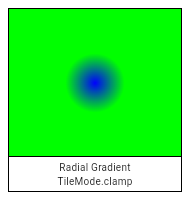
clamp,
/// Edge is repeated from first color to last.
///
/// This is as if the stop points from 0.0 to 1.0 were then repeated from 1.0
/// to 2.0, 2.0 to 3.0, and so forth (and for linear gradients, similarly from
/// -1.0 to 0.0, -2.0 to -1.0, etc).
///
/// 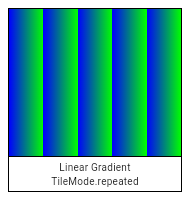
/// 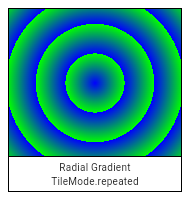
repeated,
/// Edge is mirrored from last color to first.
///
/// This is as if the stop points from 0.0 to 1.0 were then repeated backwards
/// from 2.0 to 1.0, then forwards from 2.0 to 3.0, then backwards again from
/// 4.0 to 3.0, and so forth (and for linear gradients, similarly from in the
/// negative direction).
///
/// 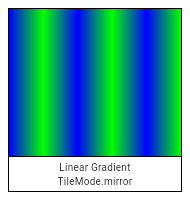
/// 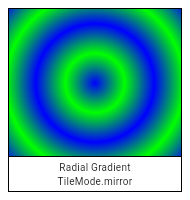
mirror,
}
Int32List _encodeColorList(List<Color> colors) {
final int colorCount = colors.length;
final Int32List result = Int32List(colorCount);
for (int i = 0; i < colorCount; ++i)
result[i] = colors[i].value;
return result;
}
Float32List _encodePointList(List<Offset> points) {
assert(points != null);
final int pointCount = points.length;
final Float32List result = Float32List(pointCount * 2);
for (int i = 0; i < pointCount; ++i) {
final int xIndex = i * 2;
final int yIndex = xIndex + 1;
final Offset point = points[i];
assert(_offsetIsValid(point));
result[xIndex] = point.dx;
result[yIndex] = point.dy;
}
return result;
}
Float32List _encodeTwoPoints(Offset pointA, Offset pointB) {
assert(_offsetIsValid(pointA));
assert(_offsetIsValid(pointB));
final Float32List result = Float32List(4);
result[0] = pointA.dx;
result[1] = pointA.dy;
result[2] = pointB.dx;
result[3] = pointB.dy;
return result;
}
/// A shader (as used by [Paint.shader]) that renders a color gradient.
///
/// There are several types of gradients, represented by the various constructors
/// on this class.
///
/// See also:
///
/// * [Gradient](https://api.flutter.dev/flutter/painting/Gradient-class.html), the class in the [painting] library.
///
class Gradient extends Shader {
void _constructor() native 'Gradient_constructor';
/// Creates a linear gradient from `from` to `to`.
///
/// If `colorStops` is provided, `colorStops[i]` is a number from 0.0 to 1.0
/// that specifies where `color[i]` begins in the gradient. If `colorStops` is
/// not provided, then only two stops, at 0.0 and 1.0, are implied (and
/// `color` must therefore only have two entries).
///
/// The behavior before `from` and after `to` is described by the `tileMode`
/// argument. For details, see the [TileMode] enum.
///
/// 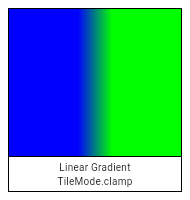
/// 
/// 
///
/// If `from`, `to`, `colors`, or `tileMode` are null, or if `colors` or
/// `colorStops` contain null values, this constructor will throw a
/// [NoSuchMethodError].
///
/// If `matrix4` is provided, the gradient fill will be transformed by the
/// specified 4x4 matrix relative to the local coordinate system. `matrix4` must
/// be a column-major matrix packed into a list of 16 values.
Gradient.linear(
Offset from,
Offset to,
List<Color> colors, [
List<double> colorStops,
TileMode tileMode = TileMode.clamp,
Float64List matrix4,
]) : assert(_offsetIsValid(from)),
assert(_offsetIsValid(to)),
assert(colors != null),
assert(tileMode != null),
assert(matrix4 == null || _matrix4IsValid(matrix4)),
super._() {
_validateColorStops(colors, colorStops);
final Float32List endPointsBuffer = _encodeTwoPoints(from, to);
final Int32List colorsBuffer = _encodeColorList(colors);
final Float32List colorStopsBuffer = colorStops == null ? null : Float32List.fromList(colorStops);
_constructor();
_initLinear(endPointsBuffer, colorsBuffer, colorStopsBuffer, tileMode.index, matrix4);
}
void _initLinear(Float32List endPoints, Int32List colors, Float32List colorStops, int tileMode, Float64List matrix4) native 'Gradient_initLinear';
/// Creates a radial gradient centered at `center` that ends at `radius`
/// distance from the center.
///
/// If `colorStops` is provided, `colorStops[i]` is a number from 0.0 to 1.0
/// that specifies where `color[i]` begins in the gradient. If `colorStops` is
/// not provided, then only two stops, at 0.0 and 1.0, are implied (and
/// `color` must therefore only have two entries).
///
/// The behavior before and after the radius is described by the `tileMode`
/// argument. For details, see the [TileMode] enum.
///
/// 
/// 
/// 
///
/// If `center`, `radius`, `colors`, or `tileMode` are null, or if `colors` or
/// `colorStops` contain null values, this constructor will throw a
/// [NoSuchMethodError].
///
/// If `matrix4` is provided, the gradient fill will be transformed by the
/// specified 4x4 matrix relative to the local coordinate system. `matrix4` must
/// be a column-major matrix packed into a list of 16 values.
///
/// If `focal` is provided and not equal to `center` and `focalRadius` is
/// provided and not equal to 0.0, the generated shader will be a two point
/// conical radial gradient, with `focal` being the center of the focal
/// circle and `focalRadius` being the radius of that circle. If `focal` is
/// provided and not equal to `center`, at least one of the two offsets must
/// not be equal to [Offset.zero].
Gradient.radial(
Offset center,
double radius,
List<Color> colors, [
List<double> colorStops,
TileMode tileMode = TileMode.clamp,
Float64List matrix4,
Offset focal,
double focalRadius = 0.0
]) : assert(_offsetIsValid(center)),
assert(colors != null),
assert(tileMode != null),
assert(matrix4 == null || _matrix4IsValid(matrix4)),
super._() {
focalRadius ??= 0.0;
_validateColorStops(colors, colorStops);
final Int32List colorsBuffer = _encodeColorList(colors);
final Float32List colorStopsBuffer = colorStops == null ? null : Float32List.fromList(colorStops);
// If focal is null or focal radius is null, this should be treated as a regular radial gradient
// If focal == center and the focal radius is 0.0, it's still a regular radial gradient
if (focal == null || (focal == center && focalRadius == 0.0)) {
_constructor();
_initRadial(center.dx, center.dy, radius, colorsBuffer, colorStopsBuffer, tileMode.index, matrix4);
} else {
assert(center != Offset.zero || focal != Offset.zero); // will result in exception(s) in Skia side
_constructor();
_initConical(focal.dx, focal.dy, focalRadius, center.dx, center.dy, radius, colorsBuffer, colorStopsBuffer, tileMode.index, matrix4);
}
}
void _initRadial(double centerX, double centerY, double radius, Int32List colors, Float32List colorStops, int tileMode, Float64List matrix4) native 'Gradient_initRadial';
void _initConical(double startX, double startY, double startRadius, double endX, double endY, double endRadius, Int32List colors, Float32List colorStops, int tileMode, Float64List matrix4) native 'Gradient_initTwoPointConical';
/// Creates a sweep gradient centered at `center` that starts at `startAngle`
/// and ends at `endAngle`.
///
/// `startAngle` and `endAngle` should be provided in radians, with zero
/// radians being the horizontal line to the right of the `center` and with
/// positive angles going clockwise around the `center`.
///
/// If `colorStops` is provided, `colorStops[i]` is a number from 0.0 to 1.0
/// that specifies where `color[i]` begins in the gradient. If `colorStops` is
/// not provided, then only two stops, at 0.0 and 1.0, are implied (and
/// `color` must therefore only have two entries).
///
/// The behavior before `startAngle` and after `endAngle` is described by the
/// `tileMode` argument. For details, see the [TileMode] enum.
///
/// 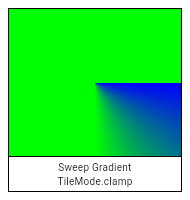
/// 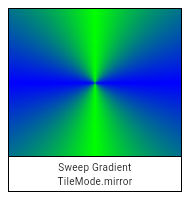
/// 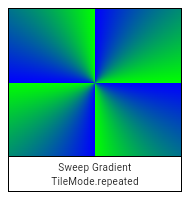
///
/// If `center`, `colors`, `tileMode`, `startAngle`, or `endAngle` are null,
/// or if `colors` or `colorStops` contain null values, this constructor will
/// throw a [NoSuchMethodError].
///
/// If `matrix4` is provided, the gradient fill will be transformed by the
/// specified 4x4 matrix relative to the local coordinate system. `matrix4` must
/// be a column-major matrix packed into a list of 16 values.
Gradient.sweep(
Offset center,
List<Color> colors, [
List<double> colorStops,
TileMode tileMode = TileMode.clamp,
double startAngle = 0.0,
double endAngle = math.pi * 2,
Float64List matrix4,
]) : assert(_offsetIsValid(center)),
assert(colors != null),
assert(tileMode != null),
assert(startAngle != null),
assert(endAngle != null),
assert(startAngle < endAngle),
assert(matrix4 == null || _matrix4IsValid(matrix4)),
super._() {
_validateColorStops(colors, colorStops);
final Int32List colorsBuffer = _encodeColorList(colors);
final Float32List colorStopsBuffer = colorStops == null ? null : Float32List.fromList(colorStops);
_constructor();
_initSweep(center.dx, center.dy, colorsBuffer, colorStopsBuffer, tileMode.index, startAngle, endAngle, matrix4);
}
void _initSweep(double centerX, double centerY, Int32List colors, Float32List colorStops, int tileMode, double startAngle, double endAngle, Float64List matrix) native 'Gradient_initSweep';
static void _validateColorStops(List<Color> colors, List<double> colorStops) {
if (colorStops == null) {
if (colors.length != 2)
throw ArgumentError('"colors" must have length 2 if "colorStops" is omitted.');
} else {
if (colors.length != colorStops.length)
throw ArgumentError('"colors" and "colorStops" arguments must have equal length.');
}
}
}
/// A shader (as used by [Paint.shader]) that tiles an image.
class ImageShader extends Shader {
/// Creates an image-tiling shader. The first argument specifies the image to
/// tile. The second and third arguments specify the [TileMode] for the x
/// direction and y direction respectively. The fourth argument gives the
/// matrix to apply to the effect. All the arguments are required and must not
/// be null.
@pragma('vm:entry-point')
ImageShader(Image image, TileMode tmx, TileMode tmy, Float64List matrix4) :
assert(image != null), // image is checked on the engine side
assert(tmx != null),
assert(tmy != null),
assert(matrix4 != null),
super._() {
if (matrix4.length != 16)
throw ArgumentError('"matrix4" must have 16 entries.');
_constructor();
_initWithImage(image, tmx.index, tmy.index, matrix4);
}
void _constructor() native 'ImageShader_constructor';
void _initWithImage(Image image, int tmx, int tmy, Float64List matrix4) native 'ImageShader_initWithImage';
}
/// Defines how a list of points is interpreted when drawing a set of triangles.
///
/// Used by [Canvas.drawVertices].
// These enum values must be kept in sync with SkVertices::VertexMode.
enum VertexMode {
/// Draw each sequence of three points as the vertices of a triangle.
triangles,
/// Draw each sliding window of three points as the vertices of a triangle.
triangleStrip,
/// Draw the first point and each sliding window of two points as the vertices of a triangle.
triangleFan,
}
/// A set of vertex data used by [Canvas.drawVertices].
class Vertices extends NativeFieldWrapperClass2 {
Vertices(
VertexMode mode,
List<Offset> positions, {
List<Offset> textureCoordinates,
List<Color> colors,
List<int> indices,
}) : assert(mode != null),
assert(positions != null) {
if (textureCoordinates != null && textureCoordinates.length != positions.length)
throw ArgumentError('"positions" and "textureCoordinates" lengths must match.');
if (colors != null && colors.length != positions.length)
throw ArgumentError('"positions" and "colors" lengths must match.');
if (indices != null && indices.any((int i) => i < 0 || i >= positions.length))
throw ArgumentError('"indices" values must be valid indices in the positions list.');
final Float32List encodedPositions = _encodePointList(positions);
final Float32List encodedTextureCoordinates = (textureCoordinates != null)
? _encodePointList(textureCoordinates)
: null;
final Int32List encodedColors = colors != null
? _encodeColorList(colors)
: null;
final Uint16List encodedIndices = indices != null
? Uint16List.fromList(indices)
: null;
_constructor();
if (!_init(mode.index, encodedPositions, encodedTextureCoordinates, encodedColors, encodedIndices))
throw ArgumentError('Invalid configuration for vertices.');
}
Vertices.raw(
VertexMode mode,
Float32List positions, {
Float32List textureCoordinates,
Int32List colors,
Uint16List indices,
}) : assert(mode != null),
assert(positions != null) {
if (textureCoordinates != null && textureCoordinates.length != positions.length)
throw ArgumentError('"positions" and "textureCoordinates" lengths must match.');
if (colors != null && colors.length * 2 != positions.length)
throw ArgumentError('"positions" and "colors" lengths must match.');
if (indices != null && indices.any((int i) => i < 0 || i >= positions.length))
throw ArgumentError('"indices" values must be valid indices in the positions list.');
_constructor();
if (!_init(mode.index, positions, textureCoordinates, colors, indices))
throw ArgumentError('Invalid configuration for vertices.');
}
void _constructor() native 'Vertices_constructor';
bool _init(int mode,
Float32List positions,
Float32List textureCoordinates,
Int32List colors,
Uint16List indices) native 'Vertices_init';
}
/// Defines how a list of points is interpreted when drawing a set of points.
///
// ignore: deprecated_member_use
/// Used by [Canvas.drawPoints].
// These enum values must be kept in sync with SkCanvas::PointMode.
enum PointMode {
/// Draw each point separately.
///
/// If the [Paint.strokeCap] is [StrokeCap.round], then each point is drawn
/// as a circle with the diameter of the [Paint.strokeWidth], filled as
/// described by the [Paint] (ignoring [Paint.style]).
///
/// Otherwise, each point is drawn as an axis-aligned square with sides of
/// length [Paint.strokeWidth], filled as described by the [Paint] (ignoring
/// [Paint.style]).
points,
/// Draw each sequence of two points as a line segment.
///
/// If the number of points is odd, then the last point is ignored.
///
/// The lines are stroked as described by the [Paint] (ignoring
/// [Paint.style]).
lines,
/// Draw the entire sequence of point as one line.
///
/// The lines are stroked as described by the [Paint] (ignoring
/// [Paint.style]).
polygon,
}
/// Defines how a new clip region should be merged with the existing clip
/// region.
///
/// Used by [Canvas.clipRect].
enum ClipOp {
/// Subtract the new region from the existing region.
difference,
/// Intersect the new region from the existing region.
intersect,
}
/// An interface for recording graphical operations.
///
/// [Canvas] objects are used in creating [Picture] objects, which can
/// themselves be used with a [SceneBuilder] to build a [Scene]. In
/// normal usage, however, this is all handled by the framework.
///
/// A canvas has a current transformation matrix which is applied to all
/// operations. Initially, the transformation matrix is the identity transform.
/// It can be modified using the [translate], [scale], [rotate], [skew],
/// and [transform] methods.
///
/// A canvas also has a current clip region which is applied to all operations.
/// Initially, the clip region is infinite. It can be modified using the
/// [clipRect], [clipRRect], and [clipPath] methods.
///
/// The current transform and clip can be saved and restored using the stack
/// managed by the [save], [saveLayer], and [restore] methods.
class Canvas extends NativeFieldWrapperClass2 {
/// Creates a canvas for recording graphical operations into the
/// given picture recorder.
///
/// Graphical operations that affect pixels entirely outside the given
/// `cullRect` might be discarded by the implementation. However, the
/// implementation might draw outside these bounds if, for example, a command
/// draws partially inside and outside the `cullRect`. To ensure that pixels
/// outside a given region are discarded, consider using a [clipRect]. The
/// `cullRect` is optional; by default, all operations are kept.
///
/// To end the recording, call [PictureRecorder.endRecording] on the
/// given recorder.
@pragma('vm:entry-point')
Canvas(PictureRecorder recorder, [ Rect cullRect ]) : assert(recorder != null) {
if (recorder.isRecording)
throw ArgumentError('"recorder" must not already be associated with another Canvas.');
cullRect ??= Rect.largest;
_constructor(recorder, cullRect.left, cullRect.top, cullRect.right, cullRect.bottom);
}
void _constructor(PictureRecorder recorder,
double left,
double top,
double right,
double bottom) native 'Canvas_constructor';
/// Saves a copy of the current transform and clip on the save stack.
///
/// Call [restore] to pop the save stack.
///
/// See also:
///
/// * [saveLayer], which does the same thing but additionally also groups the
/// commands done until the matching [restore].
void save() native 'Canvas_save';
/// Saves a copy of the current transform and clip on the save stack, and then
/// creates a new group which subsequent calls will become a part of. When the
/// save stack is later popped, the group will be flattened into a layer and
/// have the given `paint`'s [Paint.colorFilter] and [Paint.blendMode]
/// applied.
///
/// This lets you create composite effects, for example making a group of
/// drawing commands semi-transparent. Without using [saveLayer], each part of
/// the group would be painted individually, so where they overlap would be
/// darker than where they do not. By using [saveLayer] to group them
/// together, they can be drawn with an opaque color at first, and then the
/// entire group can be made transparent using the [saveLayer]'s paint.
///
/// Call [restore] to pop the save stack and apply the paint to the group.
///
/// ## Using saveLayer with clips
///
/// When a rectangular clip operation (from [clipRect]) is not axis-aligned
/// with the raster buffer, or when the clip operation is not rectilinear
/// (e.g. because it is a rounded rectangle clip created by [clipRRect] or an
/// arbitrarily complicated path clip created by [clipPath]), the edge of the
/// clip needs to be anti-aliased.
///
/// If two draw calls overlap at the edge of such a clipped region, without
/// using [saveLayer], the first drawing will be anti-aliased with the
/// background first, and then the second will be anti-aliased with the result
/// of blending the first drawing and the background. On the other hand, if
/// [saveLayer] is used immediately after establishing the clip, the second
/// drawing will cover the first in the layer, and thus the second alone will
/// be anti-aliased with the background when the layer is clipped and
/// composited (when [restore] is called).
///
/// For example, this [CustomPainter.paint] method paints a clean white
/// rounded rectangle:
///
/// ```dart
/// void paint(Canvas canvas, Size size) {
/// Rect rect = Offset.zero & size;
/// canvas.save();
/// canvas.clipRRect(new RRect.fromRectXY(rect, 100.0, 100.0));
/// canvas.saveLayer(rect, Paint());
/// canvas.drawPaint(new Paint()..color = Colors.red);
/// canvas.drawPaint(new Paint()..color = Colors.white);
/// canvas.restore();
/// canvas.restore();
/// }
/// ```
///
/// On the other hand, this one renders a red outline, the result of the red
/// paint being anti-aliased with the background at the clip edge, then the
/// white paint being similarly anti-aliased with the background _including
/// the clipped red paint_:
///
/// ```dart
/// void paint(Canvas canvas, Size size) {
/// // (this example renders poorly, prefer the example above)
/// Rect rect = Offset.zero & size;
/// canvas.save();
/// canvas.clipRRect(new RRect.fromRectXY(rect, 100.0, 100.0));
/// canvas.drawPaint(new Paint()..color = Colors.red);
/// canvas.drawPaint(new Paint()..color = Colors.white);
/// canvas.restore();
/// }
/// ```
///
/// This point is moot if the clip only clips one draw operation. For example,
/// the following paint method paints a pair of clean white rounded
/// rectangles, even though the clips are not done on a separate layer:
///
/// ```dart
/// void paint(Canvas canvas, Size size) {
/// canvas.save();
/// canvas.clipRRect(new RRect.fromRectXY(Offset.zero & (size / 2.0), 50.0, 50.0));
/// canvas.drawPaint(new Paint()..color = Colors.white);
/// canvas.restore();
/// canvas.save();
/// canvas.clipRRect(new RRect.fromRectXY(size.center(Offset.zero) & (size / 2.0), 50.0, 50.0));
/// canvas.drawPaint(new Paint()..color = Colors.white);
/// canvas.restore();
/// }
/// ```
///
/// (Incidentally, rather than using [clipRRect] and [drawPaint] to draw
/// rounded rectangles like this, prefer the [drawRRect] method. These
/// examples are using [drawPaint] as a proxy for "complicated draw operations
/// that will get clipped", to illustrate the point.)
///
/// ## Performance considerations
///
/// Generally speaking, [saveLayer] is relatively expensive.
///
/// There are a several different hardware architectures for GPUs (graphics
/// processing units, the hardware that handles graphics), but most of them
/// involve batching commands and reordering them for performance. When layers
/// are used, they cause the rendering pipeline to have to switch render
/// target (from one layer to another). Render target switches can flush the
/// GPU's command buffer, which typically means that optimizations that one
/// could get with larger batching are lost. Render target switches also
/// generate a lot of memory churn because the GPU needs to copy out the
/// current frame buffer contents from the part of memory that's optimized for
/// writing, and then needs to copy it back in once the previous render target
/// (layer) is restored.
///
/// See also:
///
/// * [save], which saves the current state, but does not create a new layer
/// for subsequent commands.
/// * [BlendMode], which discusses the use of [Paint.blendMode] with
/// [saveLayer].
void saveLayer(Rect bounds, Paint paint) {
assert(paint != null);
if (bounds == null) {
_saveLayerWithoutBounds(paint._objects, paint._data);
} else {
assert(_rectIsValid(bounds));
_saveLayer(bounds.left, bounds.top, bounds.right, bounds.bottom,
paint._objects, paint._data);
}
}
void _saveLayerWithoutBounds(List<dynamic> paintObjects, ByteData paintData)
native 'Canvas_saveLayerWithoutBounds';
void _saveLayer(double left,
double top,
double right,
double bottom,
List<dynamic> paintObjects,
ByteData paintData) native 'Canvas_saveLayer';
/// Pops the current save stack, if there is anything to pop.
/// Otherwise, does nothing.
///
/// Use [save] and [saveLayer] to push state onto the stack.
///
/// If the state was pushed with with [saveLayer], then this call will also
/// cause the new layer to be composited into the previous layer.
void restore() native 'Canvas_restore';
/// Returns the number of items on the save stack, including the
/// initial state. This means it returns 1 for a clean canvas, and
/// that each call to [save] and [saveLayer] increments it, and that
/// each matching call to [restore] decrements it.
///
/// This number cannot go below 1.
int getSaveCount() native 'Canvas_getSaveCount';
/// Add a translation to the current transform, shifting the coordinate space
/// horizontally by the first argument and vertically by the second argument.
void translate(double dx, double dy) native 'Canvas_translate';
/// Add an axis-aligned scale to the current transform, scaling by the first
/// argument in the horizontal direction and the second in the vertical
/// direction.
///
/// If [sy] is unspecified, [sx] will be used for the scale in both
/// directions.
void scale(double sx, [double sy]) => _scale(sx, sy ?? sx);
void _scale(double sx, double sy) native 'Canvas_scale';
/// Add a rotation to the current transform. The argument is in radians clockwise.
void rotate(double radians) native 'Canvas_rotate';
/// Add an axis-aligned skew to the current transform, with the first argument
/// being the horizontal skew in rise over run units clockwise around the
/// origin, and the second argument being the vertical skew in rise over run
/// units clockwise around the origin.
void skew(double sx, double sy) native 'Canvas_skew';
/// Multiply the current transform by the specified 4⨉4 transformation matrix
/// specified as a list of values in column-major order.
void transform(Float64List matrix4) {
assert(matrix4 != null);
if (matrix4.length != 16)
throw ArgumentError('"matrix4" must have 16 entries.');
_transform(matrix4);
}
void _transform(Float64List matrix4) native 'Canvas_transform';
/// Reduces the clip region to the intersection of the current clip and the
/// given rectangle.
///
/// If [doAntiAlias] is true, then the clip will be anti-aliased.
///
/// If multiple draw commands intersect with the clip boundary, this can result
/// in incorrect blending at the clip boundary. See [saveLayer] for a
/// discussion of how to address that.
///
/// Use [ClipOp.difference] to subtract the provided rectangle from the
/// current clip.
void clipRect(Rect rect, { ClipOp clipOp = ClipOp.intersect, bool doAntiAlias = true }) {
assert(_rectIsValid(rect));
assert(clipOp != null);
assert(doAntiAlias != null);
_clipRect(rect.left, rect.top, rect.right, rect.bottom, clipOp.index, doAntiAlias);
}
void _clipRect(double left,
double top,
double right,
double bottom,
int clipOp,
bool doAntiAlias) native 'Canvas_clipRect';
/// Reduces the clip region to the intersection of the current clip and the
/// given rounded rectangle.
///
/// If [doAntiAlias] is true, then the clip will be anti-aliased.
///
/// If multiple draw commands intersect with the clip boundary, this can result
/// in incorrect blending at the clip boundary. See [saveLayer] for a
/// discussion of how to address that and some examples of using [clipRRect].
void clipRRect(RRect rrect, {bool doAntiAlias = true}) {
assert(_rrectIsValid(rrect));
assert(doAntiAlias != null);
_clipRRect(rrect._value32, doAntiAlias);
}
void _clipRRect(Float32List rrect, bool doAntiAlias) native 'Canvas_clipRRect';
/// Reduces the clip region to the intersection of the current clip and the
/// given [Path].
///
/// If [doAntiAlias] is true, then the clip will be anti-aliased.
///
/// If multiple draw commands intersect with the clip boundary, this can result
/// multiple draw commands intersect with the clip boundary, this can result
/// in incorrect blending at the clip boundary. See [saveLayer] for a
/// discussion of how to address that.
void clipPath(Path path, {bool doAntiAlias = true}) {
assert(path != null); // path is checked on the engine side
assert(doAntiAlias != null);
_clipPath(path, doAntiAlias);
}
void _clipPath(Path path, bool doAntiAlias) native 'Canvas_clipPath';
/// Paints the given [Color] onto the canvas, applying the given
/// [BlendMode], with the given color being the source and the background
/// being the destination.
void drawColor(Color color, BlendMode blendMode) {
assert(color != null);
assert(blendMode != null);
_drawColor(color.value, blendMode.index);
}
void _drawColor(int color, int blendMode) native 'Canvas_drawColor';
/// Draws a line between the given points using the given paint. The line is
/// stroked, the value of the [Paint.style] is ignored for this call.
///
/// The `p1` and `p2` arguments are interpreted as offsets from the origin.
void drawLine(Offset p1, Offset p2, Paint paint) {
assert(_offsetIsValid(p1));
assert(_offsetIsValid(p2));
assert(paint != null);
_drawLine(p1.dx, p1.dy, p2.dx, p2.dy, paint._objects, paint._data);
}
void _drawLine(double x1,
double y1,
double x2,
double y2,
List<dynamic> paintObjects,
ByteData paintData) native 'Canvas_drawLine';
/// Fills the canvas with the given [Paint].
///
/// To fill the canvas with a solid color and blend mode, consider
/// [drawColor] instead.
void drawPaint(Paint paint) {
assert(paint != null);
_drawPaint(paint._objects, paint._data);
}
void _drawPaint(List<dynamic> paintObjects, ByteData paintData) native 'Canvas_drawPaint';
/// Draws a rectangle with the given [Paint]. Whether the rectangle is filled
/// or stroked (or both) is controlled by [Paint.style].
void drawRect(Rect rect, Paint paint) {
assert(_rectIsValid(rect));
assert(paint != null);
_drawRect(rect.left, rect.top, rect.right, rect.bottom,
paint._objects, paint._data);
}
void _drawRect(double left,
double top,
double right,
double bottom,
List<dynamic> paintObjects,
ByteData paintData) native 'Canvas_drawRect';
/// Draws a rounded rectangle with the given [Paint]. Whether the rectangle is
/// filled or stroked (or both) is controlled by [Paint.style].
void drawRRect(RRect rrect, Paint paint) {
assert(_rrectIsValid(rrect));
assert(paint != null);
_drawRRect(rrect._value32, paint._objects, paint._data);
}
void _drawRRect(Float32List rrect,
List<dynamic> paintObjects,
ByteData paintData) native 'Canvas_drawRRect';
/// Draws a shape consisting of the difference between two rounded rectangles
/// with the given [Paint]. Whether this shape is filled or stroked (or both)
/// is controlled by [Paint.style].
///
/// This shape is almost but not quite entirely unlike an annulus.
void drawDRRect(RRect outer, RRect inner, Paint paint) {
assert(_rrectIsValid(outer));
assert(_rrectIsValid(inner));
assert(paint != null);
_drawDRRect(outer._value32, inner._value32, paint._objects, paint._data);
}
void _drawDRRect(Float32List outer,
Float32List inner,
List<dynamic> paintObjects,
ByteData paintData) native 'Canvas_drawDRRect';
/// Draws an axis-aligned oval that fills the given axis-aligned rectangle
/// with the given [Paint]. Whether the oval is filled or stroked (or both) is
/// controlled by [Paint.style].
void drawOval(Rect rect, Paint paint) {
assert(_rectIsValid(rect));
assert(paint != null);
_drawOval(rect.left, rect.top, rect.right, rect.bottom,
paint._objects, paint._data);
}
void _drawOval(double left,
double top,
double right,
double bottom,
List<dynamic> paintObjects,
ByteData paintData) native 'Canvas_drawOval';
/// Draws a circle centered at the point given by the first argument and
/// that has the radius given by the second argument, with the [Paint] given in
/// the third argument. Whether the circle is filled or stroked (or both) is
/// controlled by [Paint.style].
void drawCircle(Offset c, double radius, Paint paint) {
assert(_offsetIsValid(c));
assert(paint != null);
_drawCircle(c.dx, c.dy, radius, paint._objects, paint._data);
}
void _drawCircle(double x,
double y,
double radius,
List<dynamic> paintObjects,
ByteData paintData) native 'Canvas_drawCircle';
/// Draw an arc scaled to fit inside the given rectangle. It starts from
/// startAngle radians around the oval up to startAngle + sweepAngle
/// radians around the oval, with zero radians being the point on
/// the right hand side of the oval that crosses the horizontal line
/// that intersects the center of the rectangle and with positive
/// angles going clockwise around the oval. If useCenter is true, the arc is
/// closed back to the center, forming a circle sector. Otherwise, the arc is
/// not closed, forming a circle segment.
///
/// This method is optimized for drawing arcs and should be faster than [Path.arcTo].
void drawArc(Rect rect, double startAngle, double sweepAngle, bool useCenter, Paint paint) {
assert(_rectIsValid(rect));
assert(paint != null);
_drawArc(rect.left, rect.top, rect.right, rect.bottom, startAngle,
sweepAngle, useCenter, paint._objects, paint._data);
}
void _drawArc(double left,
double top,
double right,
double bottom,
double startAngle,
double sweepAngle,
bool useCenter,
List<dynamic> paintObjects,
ByteData paintData) native 'Canvas_drawArc';
/// Draws the given [Path] with the given [Paint]. Whether this shape is
/// filled or stroked (or both) is controlled by [Paint.style]. If the path is
/// filled, then sub-paths within it are implicitly closed (see [Path.close]).
void drawPath(Path path, Paint paint) {
assert(path != null); // path is checked on the engine side
assert(paint != null);
_drawPath(path, paint._objects, paint._data);
}
void _drawPath(Path path,
List<dynamic> paintObjects,
ByteData paintData) native 'Canvas_drawPath';
/// Draws the given [Image] into the canvas with its top-left corner at the
/// given [Offset]. The image is composited into the canvas using the given [Paint].
void drawImage(Image image, Offset p, Paint paint) {
assert(image != null); // image is checked on the engine side
assert(_offsetIsValid(p));
assert(paint != null);
_drawImage(image, p.dx, p.dy, paint._objects, paint._data);
}
void _drawImage(Image image,
double x,
double y,
List<dynamic> paintObjects,
ByteData paintData) native 'Canvas_drawImage';
/// Draws the subset of the given image described by the `src` argument into
/// the canvas in the axis-aligned rectangle given by the `dst` argument.
///
/// This might sample from outside the `src` rect by up to half the width of
/// an applied filter.
///
/// Multiple calls to this method with different arguments (from the same
/// image) can be batched into a single call to [drawAtlas] to improve
/// performance.
void drawImageRect(Image image, Rect src, Rect dst, Paint paint) {
assert(image != null); // image is checked on the engine side
assert(_rectIsValid(src));
assert(_rectIsValid(dst));
assert(paint != null);
_drawImageRect(image,
src.left,
src.top,
src.right,
src.bottom,
dst.left,
dst.top,
dst.right,
dst.bottom,
paint._objects,
paint._data);
}
void _drawImageRect(Image image,
double srcLeft,
double srcTop,
double srcRight,
double srcBottom,
double dstLeft,
double dstTop,
double dstRight,
double dstBottom,
List<dynamic> paintObjects,
ByteData paintData) native 'Canvas_drawImageRect';
/// Draws the given [Image] into the canvas using the given [Paint].
///
/// The image is drawn in nine portions described by splitting the image by
/// drawing two horizontal lines and two vertical lines, where the `center`
/// argument describes the rectangle formed by the four points where these
/// four lines intersect each other. (This forms a 3-by-3 grid of regions,
/// the center region being described by the `center` argument.)
///
/// The four regions in the corners are drawn, without scaling, in the four
/// corners of the destination rectangle described by `dst`. The remaining
/// five regions are drawn by stretching them to fit such that they exactly
/// cover the destination rectangle while maintaining their relative
/// positions.
void drawImageNine(Image image, Rect center, Rect dst, Paint paint) {
assert(image != null); // image is checked on the engine side
assert(_rectIsValid(center));
assert(_rectIsValid(dst));
assert(paint != null);
_drawImageNine(image,
center.left,
center.top,
center.right,
center.bottom,
dst.left,
dst.top,
dst.right,
dst.bottom,
paint._objects,
paint._data);
}
void _drawImageNine(Image image,
double centerLeft,
double centerTop,
double centerRight,
double centerBottom,
double dstLeft,
double dstTop,
double dstRight,
double dstBottom,
List<dynamic> paintObjects,
ByteData paintData) native 'Canvas_drawImageNine';
/// Draw the given picture onto the canvas. To create a picture, see
/// [PictureRecorder].
void drawPicture(Picture picture) {
assert(picture != null); // picture is checked on the engine side
_drawPicture(picture);
}
void _drawPicture(Picture picture) native 'Canvas_drawPicture';
/// Draws the text in the given [Paragraph] into this canvas at the given
/// [Offset].
///
/// The [Paragraph] object must have had [Paragraph.layout] called on it
/// first.
///
/// To align the text, set the `textAlign` on the [ParagraphStyle] object
/// passed to the [new ParagraphBuilder] constructor. For more details see
/// [TextAlign] and the discussion at [new ParagraphStyle].
///
/// If the text is left aligned or justified, the left margin will be at the
/// position specified by the `offset` argument's [Offset.dx] coordinate.
///
/// If the text is right aligned or justified, the right margin will be at the
/// position described by adding the [ParagraphConstraints.width] given to
/// [Paragraph.layout], to the `offset` argument's [Offset.dx] coordinate.
///
/// If the text is centered, the centering axis will be at the position
/// described by adding half of the [ParagraphConstraints.width] given to
/// [Paragraph.layout], to the `offset` argument's [Offset.dx] coordinate.
void drawParagraph(Paragraph paragraph, Offset offset) {
assert(paragraph != null);
assert(_offsetIsValid(offset));
paragraph._paint(this, offset.dx, offset.dy);
}
/// Draws a sequence of points according to the given [PointMode].
///
/// The `points` argument is interpreted as offsets from the origin.
///
/// See also:
///
/// * [drawRawPoints], which takes `points` as a [Float32List] rather than a
/// [List<Offset>].
void drawPoints(PointMode pointMode, List<Offset> points, Paint paint) {
assert(pointMode != null);
assert(points != null);
assert(paint != null);
_drawPoints(paint._objects, paint._data, pointMode.index, _encodePointList(points));
}
/// Draws a sequence of points according to the given [PointMode].
///
/// The `points` argument is interpreted as a list of pairs of floating point
/// numbers, where each pair represents an x and y offset from the origin.
///
/// See also:
///
/// * [drawPoints], which takes `points` as a [List<Offset>] rather than a
/// [List<Float32List>].
void drawRawPoints(PointMode pointMode, Float32List points, Paint paint) {
assert(pointMode != null);
assert(points != null);
assert(paint != null);
if (points.length % 2 != 0)
throw ArgumentError('"points" must have an even number of values.');
_drawPoints(paint._objects, paint._data, pointMode.index, points);
}
void _drawPoints(List<dynamic> paintObjects,
ByteData paintData,
int pointMode,
Float32List points) native 'Canvas_drawPoints';
void drawVertices(Vertices vertices, BlendMode blendMode, Paint paint) {
assert(vertices != null); // vertices is checked on the engine side
assert(paint != null);
assert(blendMode != null);
_drawVertices(vertices, blendMode.index, paint._objects, paint._data);
}
void _drawVertices(Vertices vertices,
int blendMode,
List<dynamic> paintObjects,
ByteData paintData) native 'Canvas_drawVertices';
//
// See also:
//
// * [drawRawAtlas], which takes its arguments as typed data lists rather
// than objects.
void drawAtlas(Image atlas,
List<RSTransform> transforms,
List<Rect> rects,
List<Color> colors,
BlendMode blendMode,
Rect cullRect,
Paint paint) {
assert(atlas != null); // atlas is checked on the engine side
assert(transforms != null);
assert(rects != null);
assert(colors != null);
assert(blendMode != null);
assert(paint != null);
final int rectCount = rects.length;
if (transforms.length != rectCount)
throw ArgumentError('"transforms" and "rects" lengths must match.');
if (colors.isNotEmpty && colors.length != rectCount)
throw ArgumentError('If non-null, "colors" length must match that of "transforms" and "rects".');
final Float32List rstTransformBuffer = Float32List(rectCount * 4);
final Float32List rectBuffer = Float32List(rectCount * 4);
for (int i = 0; i < rectCount; ++i) {
final int index0 = i * 4;
final int index1 = index0 + 1;
final int index2 = index0 + 2;
final int index3 = index0 + 3;
final RSTransform rstTransform = transforms[i];
final Rect rect = rects[i];
assert(_rectIsValid(rect));
rstTransformBuffer[index0] = rstTransform.scos;
rstTransformBuffer[index1] = rstTransform.ssin;
rstTransformBuffer[index2] = rstTransform.tx;
rstTransformBuffer[index3] = rstTransform.ty;
rectBuffer[index0] = rect.left;
rectBuffer[index1] = rect.top;
rectBuffer[index2] = rect.right;
rectBuffer[index3] = rect.bottom;
}
final Int32List colorBuffer = colors.isEmpty ? null : _encodeColorList(colors);
final Float32List cullRectBuffer = cullRect?._value32;
_drawAtlas(
paint._objects, paint._data, atlas, rstTransformBuffer, rectBuffer,
colorBuffer, blendMode.index, cullRectBuffer
);
}
//
// The `rstTransforms` argument is interpreted as a list of four-tuples, with
// each tuple being ([RSTransform.scos], [RSTransform.ssin],
// [RSTransform.tx], [RSTransform.ty]).
//
// The `rects` argument is interpreted as a list of four-tuples, with each
// tuple being ([Rect.left], [Rect.top], [Rect.right], [Rect.bottom]).
//
// The `colors` argument, which can be null, is interpreted as a list of
// 32-bit colors, with the same packing as [Color.value].
//
// See also:
//
// * [drawAtlas], which takes its arguments as objects rather than typed
// data lists.
void drawRawAtlas(Image atlas,
Float32List rstTransforms,
Float32List rects,
Int32List colors,
BlendMode blendMode,
Rect cullRect,
Paint paint) {
assert(atlas != null); // atlas is checked on the engine side
assert(rstTransforms != null);
assert(rects != null);
assert(colors != null);
assert(blendMode != null);
assert(paint != null);
final int rectCount = rects.length;
if (rstTransforms.length != rectCount)
throw ArgumentError('"rstTransforms" and "rects" lengths must match.');
if (rectCount % 4 != 0)
throw ArgumentError('"rstTransforms" and "rects" lengths must be a multiple of four.');
if (colors != null && colors.length * 4 != rectCount)
throw ArgumentError('If non-null, "colors" length must be one fourth the length of "rstTransforms" and "rects".');
_drawAtlas(
paint._objects, paint._data, atlas, rstTransforms, rects,
colors, blendMode.index, cullRect?._value32
);
}
void _drawAtlas(List<dynamic> paintObjects,
ByteData paintData,
Image atlas,
Float32List rstTransforms,
Float32List rects,
Int32List colors,
int blendMode,
Float32List cullRect) native 'Canvas_drawAtlas';
/// Draws a shadow for a [Path] representing the given material elevation.
///
/// The `transparentOccluder` argument should be true if the occluding object
/// is not opaque.
///
/// The arguments must not be null.
void drawShadow(Path path, Color color, double elevation, bool transparentOccluder) {
assert(path != null); // path is checked on the engine side
assert(color != null);
assert(transparentOccluder != null);
_drawShadow(path, color.value, elevation, transparentOccluder);
}
void _drawShadow(Path path,
int color,
double elevation,
bool transparentOccluder) native 'Canvas_drawShadow';
}
/// An object representing a sequence of recorded graphical operations.
///
/// To create a [Picture], use a [PictureRecorder].
///
/// A [Picture] can be placed in a [Scene] using a [SceneBuilder], via
/// the [SceneBuilder.addPicture] method. A [Picture] can also be
/// drawn into a [Canvas], using the [Canvas.drawPicture] method.
@pragma('vm:entry-point')
class Picture extends NativeFieldWrapperClass2 {
/// This class is created by the engine, and should not be instantiated
/// or extended directly.
///
/// To create a [Picture], use a [PictureRecorder].
@pragma('vm:entry-point')
Picture._();
/// Creates an image from this picture.
///
/// The picture is rasterized using the number of pixels specified by the
/// given width and height.
///
/// Although the image is returned synchronously, the picture is actually
/// rasterized the first time the image is drawn and then cached.
Future<Image> toImage(int width, int height) {
if (width <= 0 || height <= 0)
throw Exception('Invalid image dimensions.');
return _futurize(
(_Callback<Image> callback) => _toImage(width, height, callback)
);
}
String _toImage(int width, int height, _Callback<Image> callback) native 'Picture_toImage';
/// Release the resources used by this object. The object is no longer usable
/// after this method is called.
void dispose() native 'Picture_dispose';
/// Returns the approximate number of bytes allocated for this object.
///
/// The actual size of this picture may be larger, particularly if it contains
/// references to image or other large objects.
int get approximateBytesUsed native 'Picture_GetAllocationSize';
}
/// Records a [Picture] containing a sequence of graphical operations.
///
/// To begin recording, construct a [Canvas] to record the commands.
/// To end recording, use the [PictureRecorder.endRecording] method.
class PictureRecorder extends NativeFieldWrapperClass2 {
/// Creates a new idle PictureRecorder. To associate it with a
/// [Canvas] and begin recording, pass this [PictureRecorder] to the
/// [Canvas] constructor.
@pragma('vm:entry-point')
PictureRecorder() { _constructor(); }
void _constructor() native 'PictureRecorder_constructor';
/// Whether this object is currently recording commands.
///
/// Specifically, this returns true if a [Canvas] object has been
/// created to record commands and recording has not yet ended via a
/// call to [endRecording], and false if either this
/// [PictureRecorder] has not yet been associated with a [Canvas],
/// or the [endRecording] method has already been called.
bool get isRecording native 'PictureRecorder_isRecording';
/// Finishes recording graphical operations.
///
/// Returns a picture containing the graphical operations that have been
/// recorded thus far. After calling this function, both the picture recorder
/// and the canvas objects are invalid and cannot be used further.
///
/// Returns null if the PictureRecorder is not associated with a canvas.
Picture endRecording() native 'PictureRecorder_endRecording';
}
/// A single shadow.
///
/// Multiple shadows are stacked together in a [TextStyle].
class Shadow {
/// Construct a shadow.
///
/// The default shadow is a black shadow with zero offset and zero blur.
/// Default shadows should be completely covered by the casting element,
/// and not be visible.
///
/// Transparency should be adjusted through the [color] alpha.
///
/// Shadow order matters due to compositing multiple translucent objects not
/// being commutative.
const Shadow({
this.color = const Color(_kColorDefault),
this.offset = Offset.zero,
this.blurRadius = 0.0,
}) : assert(color != null, 'Text shadow color was null.'),
assert(offset != null, 'Text shadow offset was null.'),
assert(blurRadius >= 0.0, 'Text shadow blur radius should be non-negative.');
static const int _kColorDefault = 0xFF000000;
// Constants for shadow encoding.
static const int _kBytesPerShadow = 16;
static const int _kColorOffset = 0 << 2;
static const int _kXOffset = 1 << 2;
static const int _kYOffset = 2 << 2;
static const int _kBlurOffset = 3 << 2;
/// Color that the shadow will be drawn with.
///
/// The shadows are shapes composited directly over the base canvas, and do not
/// represent optical occlusion.
final Color color;
/// The displacement of the shadow from the casting element.
///
/// Positive x/y offsets will shift the shadow to the right and down, while
/// negative offsets shift the shadow to the left and up. The offsets are
/// relative to the position of the element that is casting it.
final Offset offset;
/// The standard deviation of the Gaussian to convolve with the shadow's shape.
final double blurRadius;
/// Converts a blur radius in pixels to sigmas.
///
/// See the sigma argument to [MaskFilter.blur].
///
// See SkBlurMask::ConvertRadiusToSigma().
// <https://github.com/google/skia/blob/bb5b77db51d2e149ee66db284903572a5aac09be/src/effects/SkBlurMask.cpp#L23>
static double convertRadiusToSigma(double radius) {
return radius * 0.57735 + 0.5;
}
/// The [blurRadius] in sigmas instead of logical pixels.
///
/// See the sigma argument to [MaskFilter.blur].
double get blurSigma => convertRadiusToSigma(blurRadius);
/// Create the [Paint] object that corresponds to this shadow description.
///
/// The [offset] is not represented in the [Paint] object.
/// To honor this as well, the shape should be translated by [offset] before
/// being filled using this [Paint].
///
/// This class does not provide a way to disable shadows to avoid
/// inconsistencies in shadow blur rendering, primarily as a method of
/// reducing test flakiness. [toPaint] should be overridden in subclasses to
/// provide this functionality.
Paint toPaint() {
return Paint()
..color = color
..maskFilter = MaskFilter.blur(BlurStyle.normal, blurSigma);
}
/// Returns a new shadow with its [offset] and [blurRadius] scaled by the given
/// factor.
Shadow scale(double factor) {
return Shadow(
color: color,
offset: offset * factor,
blurRadius: blurRadius * factor,
);
}
/// Linearly interpolate between two shadows.
///
/// If either shadow is null, this function linearly interpolates from a
/// a shadow that matches the other shadow in color but has a zero
/// offset and a zero blurRadius.
///
/// {@template dart.ui.shadow.lerp}
/// The `t` argument represents position on the timeline, with 0.0 meaning
/// that the interpolation has not started, returning `a` (or something
/// equivalent to `a`), 1.0 meaning that the interpolation has finished,
/// returning `b` (or something equivalent to `b`), and values in between
/// meaning that the interpolation is at the relevant point on the timeline
/// between `a` and `b`. The interpolation can be extrapolated beyond 0.0 and
/// 1.0, so negative values and values greater than 1.0 are valid (and can
/// easily be generated by curves such as [Curves.elasticInOut]).
///
/// Values for `t` are usually obtained from an [Animation<double>], such as
/// an [AnimationController].
/// {@endtemplate}
static Shadow lerp(Shadow a, Shadow b, double t) {
assert(t != null);
if (a == null && b == null)
return null;
if (a == null)
return b.scale(t);
if (b == null)
return a.scale(1.0 - t);
return Shadow(
color: Color.lerp(a.color, b.color, t),
offset: Offset.lerp(a.offset, b.offset, t),
blurRadius: lerpDouble(a.blurRadius, b.blurRadius, t),
);
}
/// Linearly interpolate between two lists of shadows.
///
/// If the lists differ in length, excess items are lerped with null.
///
/// {@macro dart.ui.shadow.lerp}
static List<Shadow> lerpList(List<Shadow> a, List<Shadow> b, double t) {
assert(t != null);
if (a == null && b == null)
return null;
a ??= <Shadow>[];
b ??= <Shadow>[];
final List<Shadow> result = <Shadow>[];
final int commonLength = math.min(a.length, b.length);
for (int i = 0; i < commonLength; i += 1)
result.add(Shadow.lerp(a[i], b[i], t));
for (int i = commonLength; i < a.length; i += 1)
result.add(a[i].scale(1.0 - t));
for (int i = commonLength; i < b.length; i += 1)
result.add(b[i].scale(t));
return result;
}
@override
bool operator ==(dynamic other) {
if (identical(this, other))
return true;
if (other is! Shadow)
return false;
final Shadow typedOther = other;
return color == typedOther.color &&
offset == typedOther.offset &&
blurRadius == typedOther.blurRadius;
}
@override
int get hashCode => hashValues(color, offset, blurRadius);
// Serialize [shadows] into ByteData. The format is a single uint_32_t at
// the beginning indicating the number of shadows, followed by _kBytesPerShadow
// bytes for each shadow.
static ByteData _encodeShadows(List<Shadow> shadows) {
if (shadows == null)
return ByteData(0);
final int byteCount = shadows.length * _kBytesPerShadow;
final ByteData shadowsData = ByteData(byteCount);
int shadowOffset = 0;
for (int shadowIndex = 0; shadowIndex < shadows.length; ++shadowIndex) {
final Shadow shadow = shadows[shadowIndex];
if (shadow == null)
continue;
shadowOffset = shadowIndex * _kBytesPerShadow;
shadowsData.setInt32(_kColorOffset + shadowOffset,
shadow.color.value ^ Shadow._kColorDefault, _kFakeHostEndian);
shadowsData.setFloat32(_kXOffset + shadowOffset,
shadow.offset.dx, _kFakeHostEndian);
shadowsData.setFloat32(_kYOffset + shadowOffset,
shadow.offset.dy, _kFakeHostEndian);
shadowsData.setFloat32(_kBlurOffset + shadowOffset,
shadow.blurRadius, _kFakeHostEndian);
}
return shadowsData;
}
@override
String toString() => 'TextShadow($color, $offset, $blurRadius)';
}
/// Generic callback signature, used by [_futurize].
typedef _Callback<T> = void Function(T result);
/// Signature for a method that receives a [_Callback].
///
/// Return value should be null on success, and a string error message on
/// failure.
typedef _Callbacker<T> = String Function(_Callback<T> callback);
/// Converts a method that receives a value-returning callback to a method that
/// returns a Future.
///
/// Return a [String] to cause an [Exception] to be synchronously thrown with
/// that string as a message.
///
/// If the callback is called with null, the future completes with an error.
///
/// Example usage:
///
/// ```dart
/// typedef IntCallback = void Function(int result);
///
/// String _doSomethingAndCallback(IntCallback callback) {
/// Timer(new Duration(seconds: 1), () { callback(1); });
/// }
///
/// Future<int> doSomething() {
/// return _futurize(_doSomethingAndCallback);
/// }
/// ```
Future<T> _futurize<T>(_Callbacker<T> callbacker) {
final Completer<T> completer = Completer<T>.sync();
final String error = callbacker((T t) {
if (t == null) {
completer.completeError(Exception('operation failed'));
} else {
completer.complete(t);
}
});
if (error != null)
throw Exception(error);
return completer.future;
}